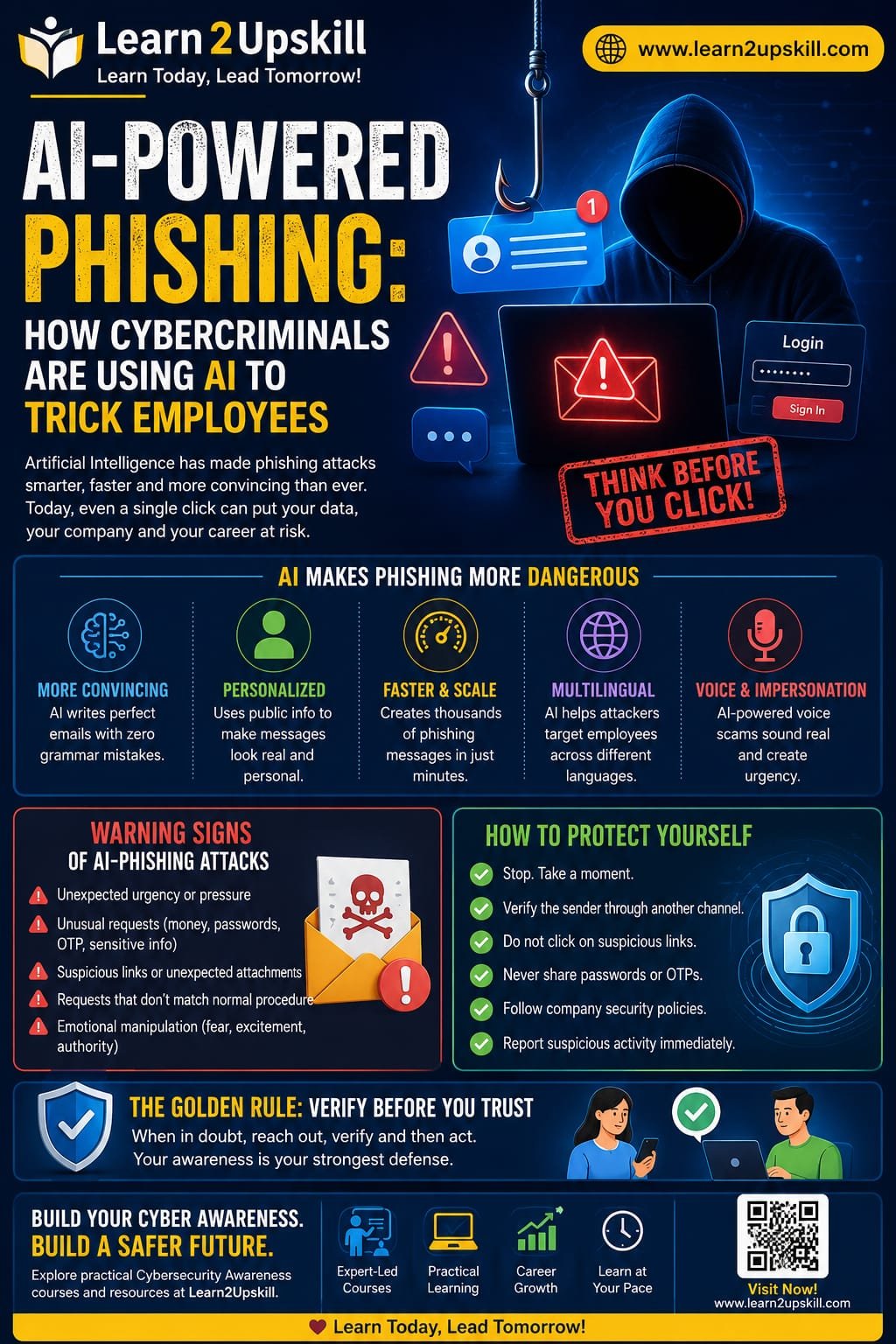
How Cybercriminals Are Using AI to Trick Employees
Learn how cybercriminals are using AI to create convincing phishing emails, messages, voice scams, and fake websites—and how employees can protect themselves.
Introduction
Phishing has been a major cybersecurity threat for years. But artificial intelligence is making these scams more convincing, personalized, and difficult to identify.
Traditionally, phishing emails were often easy to recognize because they contained spelling mistakes, strange formatting, suspicious links, or generic messages. Today, cybercriminals can use AI tools to create polished emails, personalize messages, imitate communication styles, generate fake websites, and even support voice-based scams.
The result? Employees can no longer rely on poor grammar or obvious mistakes to identify a phishing attack.
This is why AI-powered phishing awareness has become an important part of modern workplace cybersecurity.
What Is AI-Powered Phishing?
AI-powered phishing is the use of artificial intelligence and automation to make phishing attacks more convincing and effective.
Instead of sending the same generic message to thousands of people, attackers can use AI to help create messages that appear relevant to a specific person, department, or organization.
For example, an attacker might create a message that appears to come from:
– A manager
– The HR department
– A bank
– A company’s IT team
– A supplier or business partner
– A senior executive
– A familiar online service
The goal remains the same: trick the victim into revealing information, transferring money, opening a malicious attachment, or clicking a dangerous link.
Why Is AI Making Phishing More Dangerous?
AI can help cybercriminals overcome some of the weaknesses that made traditional phishing easier to identify.
- More Convincing Writing
AI can generate professional-looking messages with correct grammar, natural language, and appropriate formatting.
This makes the old rule—”look for spelling mistakes”—much less reliable.
- Personalized Messages
Attackers may use publicly available information to make messages appear more relevant.
For example, information about a person’s job role, company, projects, or professional activities can potentially be used to create a more believable message.
- Faster Scam Creation
AI can help attackers produce large numbers of variations of phishing messages quickly.
Instead of manually writing hundreds of emails, criminals can automate parts of the process.
- Multilingual Phishing
AI can help generate messages in different languages and writing styles.
This makes it easier for attackers to target employees across different countries and regions.
- Voice and Impersonation Scams
AI-powered technologies can also contribute to increasingly convincing impersonation scams involving voice or other media.
For example, an employee might receive a call that appears to come from someone they know and be pressured to make an urgent payment or share confidential information.
Common Types of AI-Enhanced Phishing
AI isn’t limited to traditional email phishing. Modern attacks can appear across multiple communication channels.
AI-Generated Phishing Emails
These messages may look like normal workplace communication.
Examples include:
– “Your password is about to expire.”
– “Please review this invoice.”
– “Your account requires verification.”
– “Updated company policy—please read.”
– “Urgent payment approval required.”
The message may look professional and use language appropriate for the workplace.
Spear Phishing
Spear phishing targets a specific individual or organization.
AI can help attackers create highly personalized messages rather than generic ones.
For example, a finance employee may receive a message supposedly from a senior manager requesting an urgent payment.
Business Email Compromise
In business email compromise, criminals attempt to impersonate executives, employees, suppliers, or other trusted contacts.
AI can make these communications appear more natural and convincing.
AI-Assisted Smishing
Smishing is phishing through SMS or messaging platforms.
An attacker may send a message claiming that:
– A package cannot be delivered.
– A bank account needs verification.
– A payment failed.
– An account has been locked.
– A special offer is expiring.
Voice-Based Social Engineering
Voice scams can use impersonation and increasingly sophisticated technologies to create convincing conversations.
The attacker may create urgency and pressure the employee to act before they have time to verify the request.
Why Employees Are Often the Target
Cybersecurity isn’t only about technology.
Attackers understand that employees make decisions every day. They receive emails, approve payments, access documents, reset passwords, communicate with suppliers, and handle sensitive information.
Instead of trying to break through a company’s technical defenses, an attacker may attempt to persuade an employee to open the door for them.
This is why employee awareness is an important layer of cybersecurity.
Warning Signs of an AI-Powered Phishing Attack
AI-generated messages can look legitimate, so employees should focus on behavior and context, not just grammar.
Watch for these warning signs:
🚩 Unexpected Urgency
Be cautious when a message says:
«”Do this immediately.”»
«”You have 10 minutes.”»
«”Don’t contact anyone about this.”»
Urgency is commonly used to prevent people from thinking carefully.
🚩 Unusual Requests
Be especially careful with unexpected requests involving:
– Money
– Passwords
– One-time passwords
– Bank information
– Confidential documents
– Login credentials
– Gift cards
– Account verification
🚩 Suspicious Links
Don’t click a link simply because the email looks professional.
Instead, verify where the link actually leads and consider navigating directly to the organization’s official website or application.
🚩 Unexpected Attachments
An unexpected document, ZIP file, spreadsheet, or other attachment deserves additional scrutiny.
🚩 A Request That Doesn’t Match Normal Procedure
If your manager suddenly asks you to transfer money to a new account, don’t assume the request is legitimate.
Follow your organization’s verification procedure.
🚩 Emotional Pressure
Phishing attacks often use emotions such as:
– Fear
– Urgency
– Curiosity
– Excitement
– Authority
– Financial pressure
If a message makes you feel that you must act immediately, pause before acting.
The Golden Rule: Verify Before You Trust
One of the most effective defenses against AI-powered phishing is simple:
Stop. Verify. Then act.
If you receive an unusual request from someone you know, verify it through a separate communication channel.
For example:
Email request: Call the person using a trusted phone number.
Payment request: Follow your organization’s payment verification process.
Password request: Contact your IT team through the official support channel.
Unexpected document: Confirm with the sender before opening it.
Do not use the contact information provided in a suspicious message for verification.
How Companies Can Protect Employees
Organizations should combine technology, policies, and employee education.
- Conduct Regular Security Awareness Training
Employees should regularly learn about:
– Phishing
– Social engineering
– Password security
– Multi-factor authentication
– Data protection
– Safe browsing
– Incident reporting
- Run Phishing Simulations
Organizations can conduct controlled phishing simulations to help employees recognize suspicious messages in a safe environment.
The purpose should be education—not embarrassing employees.
- Use Multi-Factor Authentication
MFA can provide an additional security layer if an employee’s password is compromised.
- Establish Verification Procedures
Organizations should have clear procedures for sensitive requests such as:
– Financial transfers
– Vendor bank-account changes
– Password resets
– Confidential data sharing
– Executive requests
- Encourage Employees to Report Mistakes
Employees should feel comfortable reporting suspicious activity—even if they already clicked a link or shared information.
Fast reporting can help security teams respond quickly.
What Should You Do If You Clicked a Phishing Link?
Don’t panic.
If you accidentally clicked a suspicious link:
- Stop interacting with the website.
- Don’t enter additional information.
- Inform your IT/security team immediately.
- Change your password if you entered credentials.
- Follow your organization’s incident-response instructions.
- Monitor relevant accounts for unusual activity.
- Report the phishing message according to company policy.
Quick reporting is much more useful than hiding the mistake.
AI Is a Tool—It Can Be Used for Defense Too
AI isn't only useful to attackers.
Organizations can also use AI and automation to help identify suspicious behavior, detect unusual communication patterns, analyze large volumes of security data, and support security teams.
However, AI should complement—not replace—human judgment and established security processes.
A Simple Employee Checklist
Before responding to an unexpected message, ask:
STOP
– S — Source: Do I recognize the sender?
– T — Timing: Was I expecting this message?
– O — Offer/Request: Is the request unusual or sensitive?
– P — Proceed Carefully: Can I verify it through another channel?
If something doesn't feel right, pause and verify.
Final Thoughts
AI is changing phishing attacks. Messages can now be more polished, personalized, and convincing than many traditional scams.
But the most important defense remains surprisingly simple: don't let urgency replace verification.
Employees should think before clicking, verify unusual requests, protect credentials, and report suspicious activity quickly.
For businesses, cybersecurity awareness should be an ongoing process—not a once-a-year training session.
As AI continues to evolve, organizations that combine technology + security policies + well-trained employees will be better prepared to defend against modern phishing attacks.
Learn More with Learn2Upskill
Cybersecurity is no longer only an IT department's responsibility. Every employee who uses email, messaging platforms, cloud applications, or company systems plays a role in protecting the organization.
Explore practical learning resources and courses on Learn2Upskill to build workplace-ready digital and cybersecurity skills.
Website: Learn2Upskill — blog-cms.learn2upskill.com/
Leave a Reply