Category: Skill Development

  • Verbal vs Non-Verbal Communication: What’s the Difference?

    Verbal vs Non-Verbal Communication: What’s the Difference?

    Verbal vs Non-Verbal Communication: What’s the Difference?

    Learn the difference between verbal and non-verbal communication, with examples, benefits, common mistakes and practical tips for students and professionals.

    Suggested URL Slug: /verbal-vs-non-verbal-communication/

    Every day, we communicate through words, tone of voice, facial expressions, gestures, posture, eye contact and even silence. In professional and academic environments, understanding both verbal and non-verbal communication can help you express ideas more clearly, build stronger relationships and avoid misunderstandings.

    Imagine a professional saying:

    “I’m happy with the results.”

    But they say it with a flat voice, avoid eye contact and look visibly frustrated.

    The words say one thing.

    The non-verbal signals may suggest something completely different.

    This is why understanding verbal vs non-verbal communication is an essential part of developing effective communication skills.

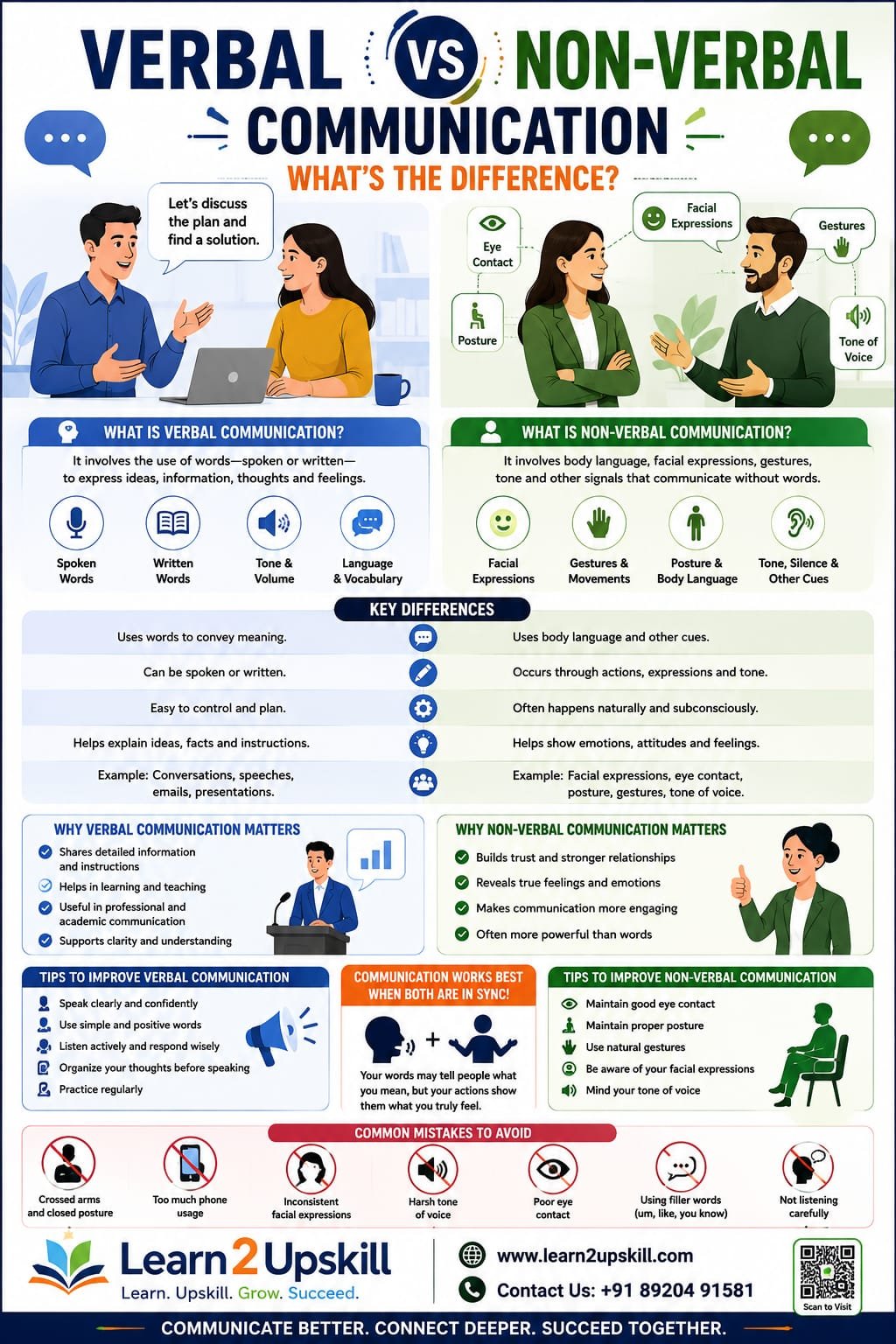
    What Is Verbal Communication?

    Verbal communication is communication that uses words to share information, ideas, opinions, instructions or feelings.

    It can happen through:

    Face-to-face conversations

    Phone calls

    Meetings

    Interviews

    Presentations

    Classroom discussions

    Group discussions

    Video conferences

    Speeches

    Verbal communication can be formal or informal depending on the situation.

    Example

    A manager says:

    “Please submit the report by Friday afternoon.”

    This is verbal communication because the message is delivered through spoken words.

    What Is Non-Verbal Communication?

    Non-verbal communication is the communication of meaning without relying primarily on spoken words.

    It includes:

    Facial expressions

    Eye contact

    Gestures

    Posture

    Body movements

    Tone and vocal cues

    Personal space

    Appearance

    Physical presence

    Silence

    For example, someone may say:

    “Yes, I understand.”

    But if they are looking away, constantly checking their phone and showing confusion on their face, their non-verbal behavior may suggest that they don’t fully understand.

    Verbal vs Non-Verbal Communication: The Key Difference

    The simplest distinction is:

    Verbal communication = the words you use.

    Non-verbal communication = the signals you send through your behavior and physical cues.

    However, there is an important nuance: tone of voice and vocal qualities are often classified as non-verbal or paraverbal communication, depending on the communication framework being used.

    For practical workplace communication, it’s useful to think about three layers:

    Words → Voice → Body Language

    For example:

    “That’s a great idea.”

    Words: Positive

    Tone: Enthusiastic or sarcastic

    Body language: Open and engaged or closed and dismissive

    The complete message comes from all three.

    Verbal vs Non-Verbal Communication: Comparison

    Verbal Communication

    Non-Verbal Communication

    Uses words

    Uses physical and behavioral signals

    Can be spoken or language-based

    Often communicates without words

    Includes conversations and presentations

    Includes gestures and facial expressions

    Useful for explaining detailed information

    Useful for expressing emotions and attitudes

    Can be planned carefully

    Can sometimes happen unconsciously

    Includes vocabulary and sentence structure

    Includes posture, eye contact and gestures

    Can be formal or informal

    Can reinforce or contradict spoken words

    Important for instructions and explanations

    Important for relationships and emotional communication

    Examples of Verbal Communication

    Let’s look at some everyday examples.

    1. Job Interview

    A candidate says:

    “I enjoy working as part of a team.”

    That’s verbal communication.

    But the interviewer also notices how confidently the candidate explains the answer.

    1. Workplace Meeting

    A team leader says:

    “We need to complete this project by the end of the month.”

    The spoken statement communicates the deadline.

    1. Presentation

    A professional explains quarterly business results to senior management.

    The information delivered through spoken language is verbal communication.

    1. Classroom Discussion

    A student answers a teacher’s question and explains their reasoning.

    Again, this is verbal communication.

    Examples of Non-Verbal Communication

    1. Eye Contact

    Appropriate eye contact can demonstrate attention and engagement.

    However, cultural expectations around eye contact can vary, so it is important not to treat one level of eye contact as universally “correct.”

    1. Facial Expressions

    A smile can communicate friendliness.

    A frown may communicate concern or disagreement.

    Raised eyebrows can suggest surprise.

    Facial expressions can provide additional information alongside spoken words.

    1. Posture

    Your posture can influence how others perceive your confidence and engagement.

    For example:

    Open posture: May appear approachable and engaged.

    Closed posture: May sometimes appear defensive, uncomfortable or disengaged.

    Remember that body language should always be interpreted in context.

    1. Gestures

    Hand movements can help emphasize an idea.

    For example, a presenter may use their hands to show:

    Size

    Direction

    Sequence

    Comparison

    Too many gestures, however, can become distracting.

    1. Personal Space

    The physical distance people prefer during conversations can communicate comfort, formality or familiarity.

    Personal-space expectations vary significantly across cultures and situations.

    Why Is Non-Verbal Communication Important?

    Non-verbal communication can influence how people interpret your message.

    Imagine two employees saying:

    “I understand.”

    Employee A maintains appropriate attention, nods naturally and appears engaged.

    Employee B looks at their phone and repeatedly looks away.

    Although the words are identical, the overall impression can be very different.

    Non-verbal communication can help:

    Build trust

    Consistent verbal and non-verbal signals can make communication feel more genuine.

    Show attention

    Appropriate eye contact, posture and listening behavior can demonstrate engagement.

    Express emotions

    Facial expressions and vocal cues can communicate emotions that words don’t fully capture.

    Support presentations

    Gestures, posture and facial expressions can make presentations more engaging.

    Strengthen relationships

    Positive non-verbal behavior can help create a comfortable communication environment.

    Can Non-Verbal Communication Contradict Verbal Communication?

    Yes.

    This is one of the most important concepts to understand.

    Suppose someone says:

    “I’m not angry.”

    But they are:

    Speaking loudly

    Frowning

    Clenching their fists

    Avoiding a calm conversation

    The non-verbal signals may suggest emotional tension.

    However, you shouldn’t automatically assume the person is lying or angry.

    Context matters.

    Body language is not a perfect lie detector.

    Someone may avoid eye contact because they are:

    Nervous

    Thinking

    Uncomfortable

    Distracted

    From a culture with different eye-contact norms

    So instead of immediately interpreting one gesture, look at the overall pattern and situation.

    The Role of Tone of Voice

    Tone is extremely important in communication.

    Consider the sentence:

    “That’s interesting.”

    Depending on how it is said, it could communicate:

    Genuine interest

    Surprise

    Doubt

    Sarcasm

    Disagreement

    The words haven’t changed.

    The tone has.

    That’s why professional communication requires attention not only to what you say, but also to how you say it.

    Verbal and Non-Verbal Communication Work Together

    The most effective communication usually combines both.

    For example, imagine a manager telling an employee:

    “You’ve done a great job on this project.”

    If the manager:

    Uses a warm tone

    Makes appropriate eye contact

    Smiles naturally

    Gives specific praise

    the message may feel more sincere.

    The words and non-verbal signals support each other.

    How to Improve Your Verbal Communication Skills

    1. Think Before You Speak

    Take a moment to organize your thoughts.

    Ask:

    What is my main message?

    1. Use Simple Language

    Don’t use complicated words just to sound professional.

    Clear communication is usually more effective than unnecessarily complex communication.

    1. Speak at a Comfortable Pace

    Speaking too quickly can make your message difficult to understand.

    Pause between important points.

    1. Improve Your Vocabulary

    Reading regularly can help you develop vocabulary and become more comfortable expressing ideas.

    1. Practice Explaining Ideas

    Choose a topic and explain it aloud for two or three minutes.

    Record yourself and listen back.

    1. Ask Questions

    Good communication isn’t just about answering questions.

    Asking thoughtful questions demonstrates attention and curiosity.

    How to Improve Your Non-Verbal Communication

    1. Maintain Appropriate Eye Contact

    Look at the person you’re communicating with without staring continuously.

    In group settings, naturally distribute your attention across the group.

    1. Improve Your Posture

    Sit or stand comfortably upright.

    Avoid constantly slouching or appearing disengaged.

    1. Use Natural Facial Expressions

    Let your expressions match the conversation.

    Don’t force a smile or exaggerated reaction.

    1. Control Distracting Gestures

    Gestures can be helpful, but repetitive movements may distract your audience.

    1. Pay Attention to Your Tone

    Before an important conversation, think about whether your tone matches your intended message.

    1. Observe Others

    Watch how effective speakers communicate.

    Pay attention to:

    Their pace

    Pauses

    Facial expressions

    Gestures

    Posture

    Audience engagement

    Then practice what works for you.

    Verbal and Non-Verbal Communication in the Workplace

    Communication skills are especially important in professional environments.

    Consider a team meeting.

    A professional needs to:

    Verbally:

    Explain ideas

    Ask questions

    Give updates

    Share opinions

    Provide feedback

    Non-verbally:

    Listen attentively

    Use appropriate eye contact

    Demonstrate engagement

    Respond naturally

    Maintain professional body language

    Both work together.

    Communication During Job Interviews

    Job interviews are a perfect example of verbal and non-verbal communication working together.

    Verbal communication includes:

    How you answer questions

    How clearly you explain your experience

    Your vocabulary

    Your examples

    Your ability to structure answers

    Non-verbal communication includes:

    Posture

    Facial expressions

    Eye contact

    Hand gestures

    Listening behavior

    Tone

    Interview tip

    Don’t try to “perform” perfect body language.

    Instead, focus on:

    Listening → Understanding → Answering clearly → Staying natural

    Authenticity generally works better than trying to memorize a list of body-language tricks.

    Communication in Online Meetings

    Non-verbal communication becomes slightly different when working remotely.

    In video meetings, people may rely heavily on:

    Facial expressions

    Voice

    Camera positioning

    Eye gaze

    Head movements

    Digital reactions

    Screen-sharing behavior

    Tips for online meetings

    Check your camera position.

    Use appropriate lighting.

    Avoid constantly looking at your phone.

    Listen actively.

    Don’t interrupt unnecessarily.

    Use clear verbal responses.

    Keep your background and appearance professional where appropriate.

    Remember that online communication also includes written channels such as email, chat and collaboration tools.

    Common Verbal Communication Mistakes

    Avoid these habits:

    ❌ Speaking without organizing your thoughts

    Your audience may struggle to follow you.

    ❌ Using too many filler words

    Words like “um,” “actually,” “basically” and “like” can become distracting when overused.

    ❌ Speaking too quickly

    Slow down and allow people to process your message.

    ❌ Using unnecessary jargon

    Technical terms are useful when your audience understands them, but not when they create confusion.

    ❌ Interrupting

    Let people finish their thoughts.

    Common Non-Verbal Communication Mistakes

    ❌ Looking constantly at your phone

    This can signal disengagement.

    ❌ Closed or distracted posture

    Your physical behavior can affect how approachable you appear.

    ❌ Excessive gestures

    Too much movement can distract from your message.

    ❌ Ignoring facial expressions

    Your expression can communicate emotions you may not intend to show.

    ❌ Misinterpreting individual gestures

    Never assume one gesture has one universal meaning.

    Context is king.

    How Students Can Improve Both Skills

    Students can practice verbal and non-verbal communication through everyday activities.

    Try:

    Classroom presentations

    Debates

    Group discussions

    Public speaking

    Storytelling

    Mock interviews

    Reading aloud

    Recording presentations

    Participating in student activities

    After every presentation, ask:

    Was my message clear?

    Did I speak confidently?

    Did my body language support my message?

    Did I listen to questions carefully?

    How Professionals Can Improve Both Skills

    Professionals can practice communication during regular workplace activities.

    Before a meeting:

    Prepare your key points.

    During the meeting:

    Listen actively and contribute clearly.

    During presentations:

    Use structured explanations and natural gestures.

    During difficult conversations:

    Stay calm and pay attention to tone.

    After meetings:

    Confirm important decisions in writing when appropriate.

    This last step is particularly useful in modern workplaces because clear written records can reduce confusion.

    Verbal vs Non-Verbal Communication: Quick Example

    Imagine a manager says:

    “I’m confident we’ll complete this project successfully.”

    Verbal message:

    The manager communicates confidence.

    Tone:

    An enthusiastic and steady tone can reinforce that confidence.

    Body language:

    An open posture and attentive facial expression can further support the message.

    Overall communication:

    The words, voice and body language work together to create a stronger message.

    The 3C Formula for Better Communication

    A simple way to improve your communication is to remember the 3Cs:

    1. Clear

    Make your message easy to understand.

    1. Concise

    Avoid unnecessary information.

    1. Consistent

    Make sure your words, tone and behavior support the same message.

    When these three work together, communication becomes more effective.

    Frequently Asked Questions

    What is the difference between verbal and non-verbal communication?

    Verbal communication primarily uses words to communicate information, while non-verbal communication uses signals such as facial expressions, gestures, posture, eye behavior and other physical or behavioral cues.

    Is body language verbal or non-verbal communication?

    Body language is a form of non-verbal communication. It includes posture, gestures, facial expressions and body movements.

    Why is non-verbal communication important?

    Non-verbal communication can reinforce spoken messages, express emotions, demonstrate attention and influence how a message is interpreted.

    Which is more important: verbal or non-verbal communication?

    Neither should be considered universally more important. Effective communication depends on how words, voice, behavior and context work together.

    Can body language be misunderstood?

    Yes. Body language is highly dependent on context, culture and individual differences. One gesture should not automatically be interpreted as having a specific meaning.

    How can I improve my communication skills?

    Practice speaking clearly, listen actively, improve your writing, observe your body language, participate in presentations and discussions, and ask others for constructive feedback.

    Are verbal and non-verbal communication important for job interviews?

    Yes. Interviews involve both. Your answers communicate your knowledge and experience, while your tone, facial expressions, posture and listening behavior contribute to the overall interaction.

    Conclusion

    Verbal and non-verbal communication are two essential parts of effective communication.

    Verbal communication tells people what you want to say.

    Non-verbal communication can influence how your message is received.

    The strongest communicators understand that both matter.

    Whether you’re a student preparing for a presentation, a fresher attending a job interview or an experienced professional leading a team, developing both skills can help you communicate with greater clarity and confidence.

    Remember:

    Don’t just focus on what you say. Pay attention to how you say it, how you listen and what your behavior communicates.

    Start with small improvements.

    Speak clearly.

    Listen carefully.

    Use natural body language.

    Pay attention to tone.

    And always consider your audience.

    Better communication can lead to better understanding, stronger relationships and greater professional opportunities.

    🚀 Improve Your Communication Skills With Learn2Upskill

    Ready to become a more confident communicator?

    Develop practical communication, professional and career-ready skills with Learn2Upskill.

    🌐 www.coral-kudu-326218.hostingersite.com⁠�

    📞 Contact Us: +91 89204 91581

    Learn. Upskill. Grow. Succeed.


  • How to Become More Confident in 30 Days

    How to Become More Confident in 30 Days

    How to Become More Confident in 30 Days

    Introduction

    Confidence is one of the most valuable qualities a student can develop. It can help you speak clearly, participate in discussions, give presentations, attend interviews, meet new people, and handle challenges with a positive mindset.

    But confidence is not something that only a few people are naturally born with. It is a skill that can be developed through practice, preparation, experience, and self-awareness.

    If you currently feel shy, nervous while speaking, uncomfortable in social situations, or afraid of making mistakes, don’t worry. You can start improving gradually.

    This 30-day confidence-building challenge is designed to help students and freshers develop confidence through small, practical daily activities.

    At Learn2Upskill, we believe confidence grows when you take action, learn from experience, and become comfortable stepping outside your comfort zone.

    What Is Confidence?

    Confidence is the belief that you can handle a situation, learn something new, or take action even when you don’t know exactly what will happen.

    Confidence does not mean:

    Knowing everything.

    Never making mistakes.

    Being the loudest person in the room.

    Always feeling comfortable.

    Thinking you are better than everyone else.

    Real confidence means being able to say:

    “I may not be perfect, but I am willing to try, learn, and improve.”

    Why Is Confidence Important for Students?

    Confidence can help students:

    Participate in class.

    Speak in front of others.

    Give presentations.

    Attend interviews.

    Make new connections.

    Ask questions.

    Express opinions.

    Take leadership responsibilities.

    Handle criticism.

    Try new opportunities.

    Confidence can also influence how you communicate your skills and abilities during job interviews and professional situations.

    Confidence vs. Overconfidence

    It is important to understand the difference.

    Confidence

    “I have prepared well, and I will give my best.”

    Overconfidence

    “I don’t need to prepare because I already know everything.”

    Confidence combines self-belief with preparation and humility.

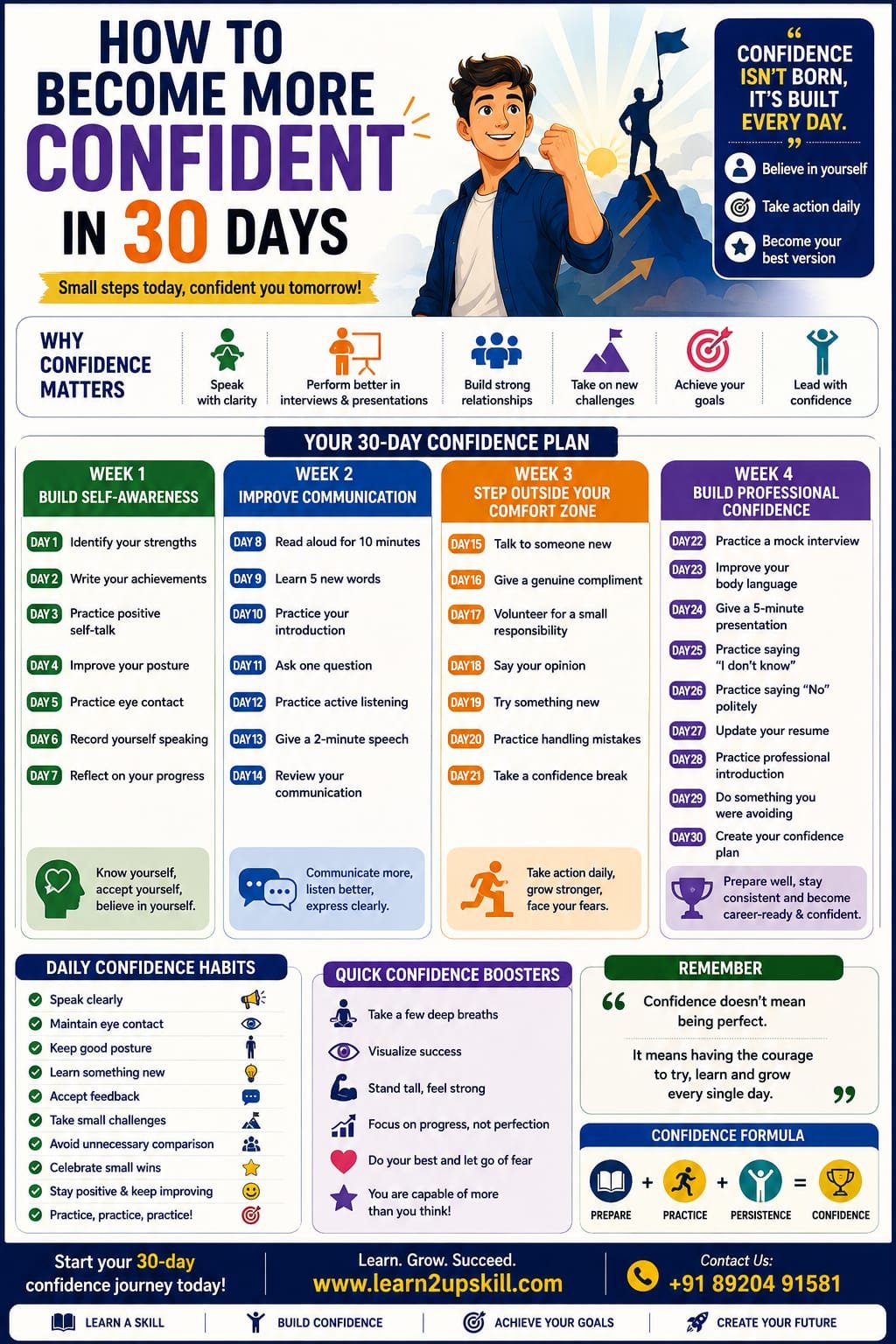
    The 30-Day Confidence Challenge

    The following plan is divided into four stages:

    Week 1 – Build Self-Awareness

    Week 2 – Improve Communication

    Week 3 – Step Outside Your Comfort Zone

    Week 4 – Build Professional Confidence

    Let’s begin.

    WEEK 1: Build Self-Awareness

    Day 1 – Identify Your Strengths

    Write down at least five things you are good at.

    They could include:

    Communication

    Creativity

    Mathematics

    Sports

    Organization

    Helping others

    Technology

    Leadership

    Writing

    Don’t focus only on academic skills.

    Your personal qualities also matter.

    Today’s Goal

    Write:

    “My five strengths are…”

    Day 2 – Identify Your Achievements

    Think about things you have accomplished.

    They don’t have to be huge achievements.

    Examples:

    Completing a difficult project.

    Improving your grades.

    Winning a competition.

    Learning a new skill.

    Helping someone.

    Organizing an event.

    Write down at least five achievements.

    This exercise reminds you that you have already overcome challenges.

    Day 3 – Practice Positive Self-Talk

    Pay attention to how you speak to yourself.

    Replace:

    “I can’t do this.”

    with:

    “I can learn how to do this.”

    Replace:

    “Everyone will judge me.”

    with:

    “I will focus on doing my best.”

    Replace:

    “I’m not good enough.”

    with:

    “I am improving every day.”

    Positive self-talk doesn’t mean ignoring your weaknesses. It means approaching them constructively.

    Day 4 – Improve Your Posture

    Your physical presence can influence how you feel and communicate.

    Practice:

    Standing upright.

    Relaxing your shoulders.

    Keeping your head naturally raised.

    Walking at a comfortable pace.

    Maintaining a relaxed facial expression.

    Spend five minutes practicing good posture.

    Day 5 – Practice Eye Contact

    Eye contact can help communicate attentiveness and confidence.

    Practice making natural eye contact while speaking with:

    Parents

    Friends

    Teachers

    Classmates

    Don’t stare continuously.

    The goal is comfortable, natural eye contact.

    Day 6 – Record Yourself Speaking

    Choose a simple topic such as:

    “My favourite hobby.”

    Speak for two minutes and record yourself.

    Then watch the recording.

    Notice:

    Your posture.

    Voice.

    Eye contact.

    Facial expressions.

    Speaking speed.

    Repeated words.

    Don’t criticize yourself.

    Use the recording to identify areas for improvement.

    Day 7 – Reflect on Week 1

    Write answers to these questions:

    What did I learn about myself?

    What am I already good at?

    What makes me nervous?

    Which confidence habit improved?

    What do I want to improve next?

    Celebrate your progress.

    Confidence grows through noticing improvement—not demanding perfection.

    WEEK 2: Improve Communication

    Day 8 – Read Aloud

    Read a page from a book, article, or educational material aloud for 10 minutes.

    Focus on:

    Clear pronunciation.

    Natural pauses.

    Appropriate speed.

    Expression.

    This simple exercise can improve speaking confidence.

    Day 9 – Learn Five New Words

    Choose five useful English words.

    Learn:

    Meaning

    Pronunciation

    Example sentence

    Then try using them in conversation or writing.

    Don’t focus on using complicated vocabulary. Focus on communicating clearly.

    Day 10 – Practice Your Introduction

    Prepare a 30–60 second introduction.

    Include:

    Your name.

    Your education.

    Your interests.

    Your strengths.

    Your career goal.

    Practice until you can say it naturally rather than memorizing every word.

    Day 11 – Ask One Question

    Today, ask a thoughtful question during a class, workshop, meeting, or conversation.

    If you usually remain silent because you are worried about what others may think, this is your opportunity to take a small step.

    Remember:

    Asking a question is a sign of curiosity, not weakness.

    Day 12 – Practice Active Listening

    Have a conversation with someone and focus entirely on listening.

    Don’t interrupt unnecessarily.

    Ask follow-up questions.

    Try to understand what the other person is saying rather than preparing your next response.

    Good listening is an important part of confident communication.

    Day 13 – Give a Two-Minute Speech

    Choose a simple topic:

    My favourite subject

    A book I enjoyed

    A career I am interested in

    The importance of education

    A skill I want to learn

    Speak for two minutes.

    Record yourself if possible.

    Day 14 – Review Your Communication

    Compare today’s speaking with your Day 6 recording.

    Ask:

    Am I clearer?

    Am I speaking more naturally?

    Is my posture better?

    Have I reduced unnecessary movements?

    Am I more comfortable hearing myself speak?

    Recognizing progress can strengthen confidence.

    WEEK 3: Step Outside Your Comfort Zone

    This week is about action.

    Confidence grows when you gradually do things that make you uncomfortable.

    Day 15 – Talk to Someone New

    Start a short conversation with someone you don’t usually speak to.

    It could be:

    A classmate

    A colleague

    A student from another class

    Someone at a workshop

    Keep it simple.

    A simple “Hi, how are you?” is enough to begin.

    Day 16 – Give Someone a Genuine Compliment

    Give someone a sincere and specific compliment.

    For example:

    “Your presentation was very well organized.”

    or

    “I liked the way you explained that topic.”

    Positive interactions can help you become more comfortable socially.

    Day 17 – Volunteer for a Small Responsibility

    Take responsibility for something.

    For example:

    Helping organize an activity.

    Leading part of a group project.

    Managing registrations.

    Giving instructions.

    Presenting one section of a project.

    Small responsibilities can gradually build leadership confidence.

    Day 18 – Say Your Opinion

    During a discussion, respectfully express your viewpoint.

    You don’t have to convince everyone.

    The goal is to become comfortable saying:

    “I think…”

    and explaining why.

    Day 19 – Try Something New

    Do something outside your normal routine.

    Examples:

    Attend a workshop.

    Try a new activity.

    Join a club.

    Learn a new skill.

    Participate in a competition.

    New experiences expand your comfort zone.

    Day 20 – Practice Handling Mistakes

    Think about a mistake you made recently.

    Write:

    What happened?

    What did I learn?

    What will I do differently next time?

    Don’t define yourself by your mistakes.

    Use them as feedback.

    Day 21 – Take a Confidence Break

    Spend some time reflecting on your progress.

    Write down:

    Three things I am more confident about now.

    You may be surprised by how much can change in three weeks.

    WEEK 4: Build Professional Confidence

    The final week focuses on situations students commonly face in academic and professional life.

    Day 22 – Practice a Mock Interview

    Ask a friend, teacher, parent, or mentor to ask you common interview questions.

    Examples:

    Tell me about yourself.

    What are your strengths?

    What are your weaknesses?

    Why should we select you?

    What are your career goals?

    Practice answering calmly.

    Day 23 – Improve Your Body Language

    Practice:

    Upright posture.

    Natural eye contact.

    Relaxed hands.

    Appropriate facial expressions.

    Controlled movements.

    Body language should support your words.

    Day 24 – Give a Five-Minute Presentation

    Prepare a short presentation.

    Choose any topic you know well.

    Focus on:

    Strong opening.

    Clear structure.

    Eye contact.

    Natural gestures.

    Good voice projection.

    Clear conclusion.

    Day 25 – Practice Saying “I Don’t Know”

    Confident people don’t pretend to know everything.

    Practice responding professionally:

    “I’m not sure about that, but I’d be happy to learn more.”

    This demonstrates honesty and a willingness to learn.

    Day 26 – Practice Saying “No” Politely

    Confidence also means understanding your limits.

    Instead of:

    “I can’t do it.”

    try:

    “I appreciate you asking, but I won’t be able to take this on right now.”

    Learning to set respectful boundaries is an important life and workplace skill.

    Day 27 – Update Your Resume

    Review your resume.

    Highlight:

    Skills

    Projects

    Certifications

    Achievements

    Internships

    Extracurricular activities

    A well-prepared resume can increase your confidence when applying for opportunities.

    Day 28 – Practice Your Professional Introduction

    Imagine you are meeting a recruiter or professional for the first time.

    Introduce yourself confidently.

    Keep it:

    Short

    Clear

    Professional

    Relevant

    Practice until it feels natural.

    Day 29 – Do Something You Were Avoiding

    Think about one small activity you have been avoiding because of nervousness.

    Examples:

    Asking a question.

    Giving a presentation.

    Speaking to someone new.

    Joining a group activity.

    Applying for an opportunity.

    Take action.

    This may be one of the most important days of the challenge.

    Day 30 – Create Your Confidence Plan

    Congratulations—you’ve completed the 30-day challenge.

    Now create a long-term plan.

    Write:

    Three strengths I discovered

    Three areas I want to improve

    Three confidence habits I will continue

    Your goal is not to become confident for only 30 days.

    Your goal is to build habits that continue beyond the challenge.

    10 Daily Habits That Can Build Confidence

    Even after completing the 30-day challenge, continue these habits:

    Speak clearly.

    Maintain natural eye contact.

    Keep good posture.

    Learn something new.

    Practice self-reflection.

    Accept constructive feedback.

    Take small challenges.

    Celebrate progress.

    Avoid unnecessary comparison.

    Keep practicing.

    Small actions repeated consistently can create significant improvement.

    Common Reasons Students Lack Confidence

    Fear of Failure

    You may avoid opportunities because you’re afraid of making mistakes.

    Remember:

    Failure can provide feedback.

    Comparing Yourself With Others

    Someone else’s journey is not a measurement of your worth.

    Compare yourself with your previous self.

    Lack of Preparation

    Sometimes what feels like a confidence problem is actually a preparation problem.

    Practice can make unfamiliar situations feel easier.

    Negative Self-Talk

    Constantly telling yourself that you are not capable can affect your behavior.

    Replace harsh self-criticism with realistic, constructive thinking.

    Fear of Judgment

    You cannot control what everyone thinks about you.

    Focus on your actions, preparation, and growth.

    Confidence-Building Tips for Interviews

    Before an interview:

    Research the company.

    Prepare common questions.

    Practice your introduction.

    Review your resume.

    Dress appropriately.

    Arrive on time.

    Take a few slow breaths.

    During the interview:

    Listen carefully.

    Maintain natural eye contact.

    Sit comfortably.

    Speak clearly.

    Give specific examples.

    Don’t rush your answers.

    Remember:

    Confidence comes from preparation + practice + self-belief.

    Confidence-Building Tips for Presentations

    Before presenting:

    Know your topic.

    Organize your points.

    Practice your opening.

    Practice your conclusion.

    Prepare for questions.

    During the presentation:

    Look at your audience.

    Speak at a comfortable pace.

    Use natural gestures.

    Avoid reading every word from slides.

    Pause after important points.

    Don’t panic if you make a small mistake.

    Your audience usually cares more about your message than minor mistakes.

    What If You Still Feel Nervous?

    Feeling nervous does not mean you lack confidence.

    Even experienced speakers can feel nervous before an important presentation or interview.

    The goal is not to eliminate nervousness completely.

    Instead, learn to manage it.

    Try:

    Slow breathing.

    Preparation.

    Positive self-talk.

    Practice.

    Arriving early.

    Focusing on the task rather than your fear.

    You can feel nervous and still perform well.

    Final Thoughts

    Confidence is not built in one day, and it does not require you to become a completely different person.

    It develops through small actions:

    Try → Practice → Learn → Improve → Repeat

    Over the next 30 days, focus on taking one small step every day. Speak a little more, try something new, improve your posture, practice communication, accept feedback, and challenge yourself gradually.

    Most importantly, remember that confidence does not mean being perfect.

    It means trusting yourself enough to try, learn, recover from mistakes, and keep moving forward.

    At Learn2Upskill, we help students and freshers build confidence, communication skills, personality, professional grooming, interview readiness, and career-ready skills.

    Start your 30-day confidence journey today.

    Contact Learn2Upskill

    Website: www.coral-kudu-326218.hostingersite.com

    Contact Us: +91-89204 91581

    Learn2Upskill – Learn. Grow. Succeed.

  • Passive Income Skills You Can Learn Online

    Passive Income Skills You Can Learn Online

    Passive Income Skills You Can Learn Online

    Introduction

    The internet has created many opportunities to earn money by using skills you can learn from home. From creating digital products to teaching online, people can build income streams around their knowledge, creativity, and expertise.

    One term you will often hear is passive income.

    Passive income generally refers to income that can continue to be generated after the initial work has been completed. However, it is important to understand that passive income is rarely completely passive. Most income streams require initial effort, skill development, marketing, regular updates, and sometimes ongoing customer support.

    For students and beginners, the best approach is not to search for “quick money.” Instead, focus on learning a valuable skill, creating something useful, and gradually building an income-generating asset.

    At Learn2Upskill, we believe that learning practical skills can open doors to new career and income opportunities.

    What Is Passive Income?

    Passive income is money generated from an asset, product, or system that does not require you to exchange your time directly for every unit of income.

    For example, instead of being paid only when you work for one hour, you could create a digital course that can be purchased by multiple students.

    However, passive income still requires work.

    You may need to:

    Learn the skill.

    Create the product.

    Build an audience.

    Market your work.

    Maintain the product.

    Respond to customers.

    Update outdated information.

    Think of passive income as building an asset, not getting money without effort.

    Active Income vs. Passive Income

    Active Income

    You generally earn money directly for the work or time you provide.

    Examples:

    Freelancing

    Teaching live classes

    Consulting

    Part-time work

    Coaching

    Passive or Semi-Passive Income

    You create an asset that can potentially generate income repeatedly.

    Examples:

    Online courses

    E-books

    Templates

    Stock content

    Recorded workshops

    Digital resources

    Monetized content

    Many online income models actually fall somewhere between active and passive income.

    Why Should You Learn Passive Income Skills?

    Learning these skills can help you:

    Develop digital expertise.

    Create additional income opportunities.

    Build a portfolio.

    Develop entrepreneurial thinking.

    Monetize knowledge.

    Create digital products.

    Build an online audience.

    Gain experience that can strengthen your career.

    For students, these skills can also become valuable additions to a resume.

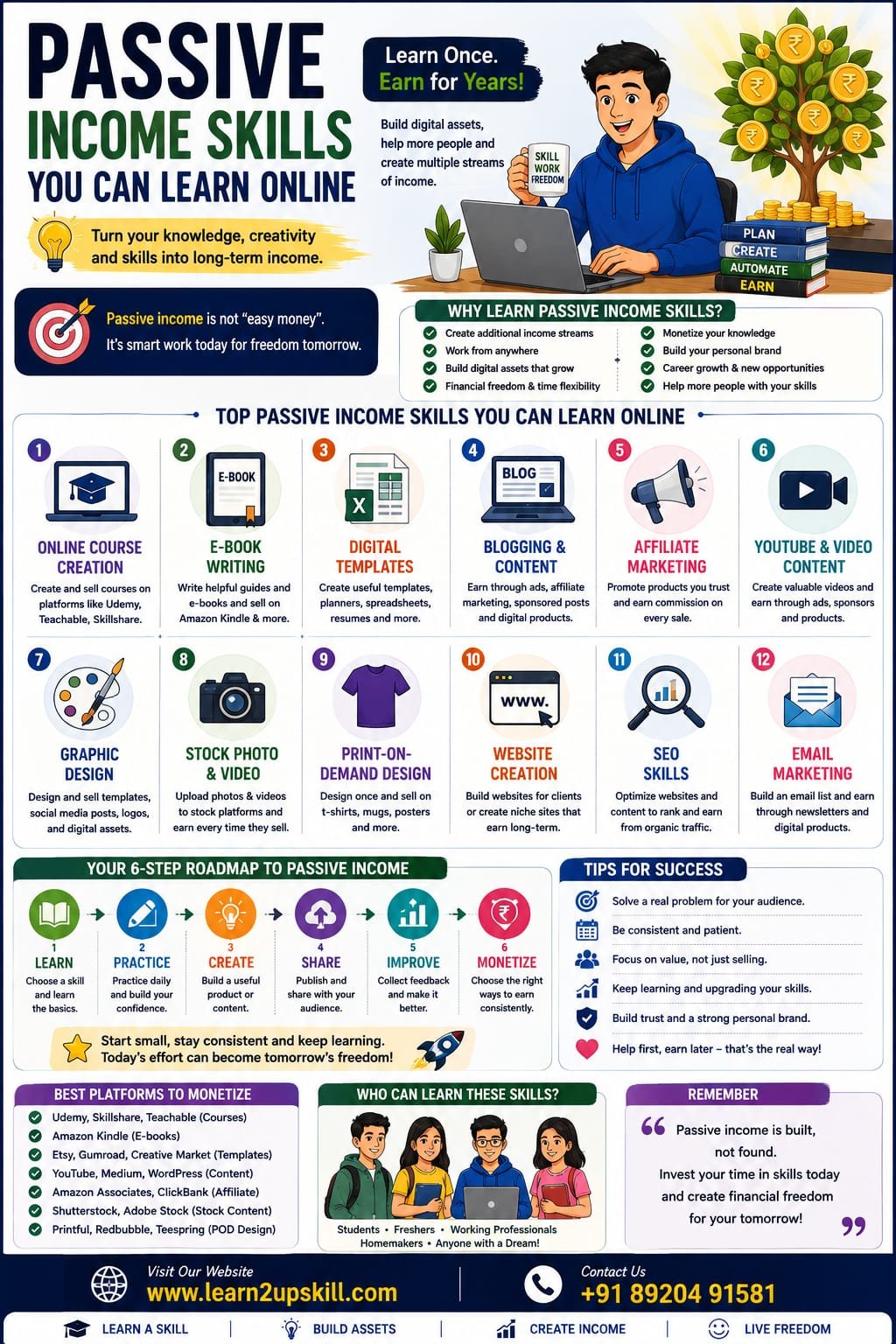
    1. Online Course Creation

    If you have expertise in a particular subject, course creation can be an interesting option.

    You could create courses about:

    Excel

    Communication skills

    Digital marketing

    Graphic design

    Coding

    Spoken English

    Career preparation

    Interview skills

    Academic subjects

    Skills You Need

    Learn:

    Course planning

    Presentation

    Video recording

    Basic editing

    Instructional design

    Digital marketing

    Once created, a recorded course can potentially be sold repeatedly with periodic updates and support.

    1. E-Book Writing

    If you enjoy writing, creating an e-book can be another digital income opportunity.

    Possible topics include:

    Study guides

    Career guides

    Skill-development books

    Interview preparation

    Productivity

    Personal development

    Beginner tutorials

    Important Tip

    Don’t write an e-book simply because you want to sell something.

    First identify a problem your target audience wants solved.

    Then create a practical resource that addresses that problem.

    1. Digital Template Creation

    Templates can save people time, making them useful digital products.

    You can learn to create:

    Resume templates

    Budget planners

    Study planners

    Presentation templates

    Social media templates

    Business spreadsheets

    Project trackers

    Content calendars

    For example, someone who understands Excel could create useful budgeting or business-reporting templates.

    The key is to create templates that solve a specific problem.

    1. Blogging and Content Creation

    Blogging can become an income-generating skill when combined with useful content and a well-defined audience.

    You can write about:

    Education

    Career development

    Technology

    Personal finance

    Productivity

    Skill development

    Hobbies

    Industry-specific topics

    Potential income sources may include:

    Advertising

    Affiliate marketing

    Digital products

    Courses

    Sponsorships

    Consulting opportunities

    Remember

    Successful blogging generally takes time.

    You need to consistently create useful content and build an audience before expecting meaningful income.

    1. Affiliate Marketing

    Affiliate marketing involves promoting products or services through special tracking links. When someone makes a qualifying purchase through your link, you may receive a commission.

    To succeed, you need more than simply posting links.

    Useful skills include:

    Content writing

    SEO

    Audience research

    Product research

    Social media marketing

    Analytics

    Example

    Suppose you create a blog about productivity tools.

    You could write helpful reviews and tutorials and, where appropriate, recommend relevant products through affiliate programs.

    Your priority should be helping the reader, not simply adding links.

    1. YouTube and Video Content

    Video content can become a long-term digital asset.

    You can create educational or informational videos about:

    Tutorials

    Study tips

    Career guidance

    Technology

    Software

    Communication skills

    Hobbies

    Product education

    Potential monetization may include advertising, sponsorships, affiliate marketing, courses, and digital products.

    Skills to Learn

    Video recording

    Video editing

    Scriptwriting

    Thumbnail design

    SEO

    Audience research

    Presentation skills

    A library of useful videos can continue attracting viewers long after publication.

    1. Graphic Design

    Graphic design is both a freelancing skill and a potential digital-product skill.

    You can learn to create:

    Social media designs

    Presentation templates

    Posters

    Infographics

    Worksheets

    Digital planners

    Marketing materials

    Instead of only selling your time, you can create reusable digital assets.

    1. Stock Photography and Video

    If you enjoy photography or videography, you can learn how to create high-quality visual content for licensing platforms.

    Potential content includes:

    Nature

    Business scenes

    Technology

    Education

    Lifestyle

    Food

    Travel

    Background footage

    The same piece of content may potentially be licensed multiple times.

    However, building a useful portfolio requires time and consistent quality.

    1. Print-on-Demand Design

    Print-on-demand allows creators to design products such as:

    T-shirts

    Mugs

    Posters

    Notebooks

    Phone cases

    Other merchandise

    The platform or supplier generally handles production and fulfillment.

    Your role may involve:

    Creating designs.

    Researching audiences.

    Building product listings.

    Marketing products.

    Improving designs based on performance.

    This can be a useful way to learn both design and digital marketing.

    1. Website Creation

    Website-building is an excellent digital skill with multiple potential income applications.

    You can learn:

    WordPress

    HTML

    CSS

    Basic JavaScript

    Website design

    SEO

    Website maintenance

    You could use these skills to:

    Build websites for clients.

    Create niche websites.

    Sell website templates.

    Create educational resources.

    Build your own digital business.

    Website development can therefore create both active and semi-passive income opportunities.

    1. SEO Skills

    Search Engine Optimization, or SEO, involves improving online content so that it can be discovered through search engines.

    SEO can be used for:

    Blogs

    Websites

    YouTube

    Online stores

    Affiliate websites

    Digital products

    Important SEO skills include:

    Keyword research

    Search intent

    On-page SEO

    Content optimization

    Technical SEO

    Internal linking

    Analytics

    SEO is particularly valuable because it can help other online income models attract organic traffic.

    1. Email Marketing

    Email marketing is another valuable digital skill.

    You can learn how to:

    Build an email list.

    Create newsletters.

    Write effective emails.

    Segment audiences.

    Automate campaigns.

    Promote digital products.

    A well-built email system can help businesses communicate with customers without relying entirely on social media algorithms.

    1. Social Media Content Creation

    Social media skills can be monetized in several ways.

    Learn:

    Content planning

    Copywriting

    Short-form video

    Graphic design

    Audience research

    Social media analytics

    You can use these skills to build your own audience or create digital products and services.

    1. AI-Assisted Content Skills

    Artificial intelligence tools are changing how people create content and complete digital tasks.

    Students can learn how to use AI responsibly for:

    Brainstorming

    Research assistance

    Content planning

    Presentation preparation

    Data organization

    Productivity

    Basic automation

    The important skill is not simply knowing how to use an AI tool.

    You should also learn:

    How to write effective prompts.

    How to verify information.

    How to edit AI-generated content.

    How to protect sensitive information.

    How to add your own expertise and judgment.

    AI should be treated as a productivity tool rather than a replacement for learning.

    1. Spreadsheet and Data Skills

    Excel and spreadsheet skills can be valuable for both employment and digital products.

    You can learn:

    Formulas

    XLOOKUP

    Pivot Tables

    Charts

    Dashboards

    Data cleaning

    Basic automation

    Once you become proficient, you can create useful spreadsheet templates, tutorials, courses, and educational resources.

    1. Online Teaching

    If you are strong in a particular subject, online teaching can become an income opportunity.

    You could teach:

    School subjects

    Languages

    Software

    Communication

    Career skills

    Creative skills

    Live teaching is usually active income, while recorded courses, worksheets, and educational resources can make the model more scalable.

    1. Digital Product Creation

    Digital products are among the most flexible online assets you can create.

    Examples include:

    E-books

    Checklists

    Templates

    Workbooks

    Planners

    Study materials

    Recorded workshops

    Online courses

    Digital guides

    The biggest advantage is that digital products can often be delivered electronically without physical inventory.

    How to Choose the Right Skill

    Don’t try to learn everything at once.

    Ask yourself four questions:

    1. What am I interested in?

    Choose something you are willing to spend time learning.

    1. What am I already good at?

    Your existing knowledge can give you a starting advantage.

    1. What problem can I solve?

    People are more likely to pay for solutions to meaningful problems.

    1. What audience can I help?

    Define who your content or product is designed for.

    A Simple Skill-to-Income Roadmap

    Follow this process:

    Learn → Practice → Build → Share → Improve → Monetize

    Step 1: Learn

    Choose one skill and study the fundamentals.

    Step 2: Practice

    Use the skill through small projects.

    Step 3: Build

    Create something useful.

    Step 4: Share

    Publish your work or make it available to your target audience.

    Step 5: Improve

    Collect feedback and improve your product or content.

    Step 6: Monetize

    Explore appropriate income models once you have something valuable to offer.

    Mistakes to Avoid

    Chasing “Easy Money”

    Be cautious of anyone promising guaranteed passive income with little effort.

    Building a sustainable income stream takes time.

    Learning Too Many Skills at Once

    Trying to learn ten skills simultaneously can prevent you from becoming good at any of them.

    Start with one.

    Creating Without Knowing Your Audience

    A product is much more useful when it solves a clearly defined problem.

    Ignoring Marketing

    Creating a great product isn’t enough. People need to discover it.

    Giving Up Too Early

    Many digital income models take months or longer to develop.

    Consistency matters.

    A 90-Day Plan to Start Building an Online Income Skill

    Month 1: Learn

    Choose one skill.

    Spend time learning the fundamentals and practicing regularly.

    Month 2: Build

    Create your first useful project.

    Examples:

    A small e-book

    A template

    A mini-course

    A blog

    A YouTube tutorial

    A digital workbook

    Month 3: Publish and Improve

    Share your work with your target audience.

    Collect feedback.

    Improve the product.

    Learn basic marketing.

    Then begin exploring suitable ways to monetize it.

    Best Skills for Students to Start With

    Students can consider learning:

    Content Writing

    Graphic Design

    Video Editing

    SEO

    Digital Marketing

    Excel

    Website Development

    Online Teaching

    E-book Creation

    Course Creation

    Social Media Content Creation

    AI Productivity Skills

    The best choice depends on your interests, existing abilities, available time, and career goals.

    Final Thoughts

    Passive income is not a shortcut to instant wealth. It is better understood as the process of building valuable assets that can potentially generate income repeatedly.

    For students and beginners, the strongest starting point is a skill.

    Learn something useful. Practice it. Create something valuable. Build an audience. Improve continuously. Then explore ways to monetize your knowledge or digital products.

    Even if your first project doesn’t generate significant income, the skills you develop—such as communication, marketing, writing, design, technology, and entrepreneurship—can benefit your long-term career.

    The goal should not be:

    “How can I make money without working?”

    Instead, ask:

    “What valuable skill can I learn today that can create opportunities tomorrow?”

    That mindset can lead to much more sustainable growth.

    At Learn2Upskill, we help students, freshers, and professionals develop practical skills for career growth, digital opportunities, communication, and lifelong learning.

    Contact Learn2Upskill

    Website: www.coral-kudu-326218.hostingersite.com

    Contact Us: +91-89204 91581

    Learn2Upskill – Learn. Grow. Succeed.

  • AI Skills That Will Be Most In-Demand by Employers in 2026

    AI Skills That Will Be Most In-Demand by Employers in 2026

    AI Skills That Will Be Most In-Demand by Employers in 2026

    Published by: Learn2Upskill

    Website: www.coral-kudu-326218.hostingersite.com

    Contact: +91 89204 91581

    Introduction

    Artificial Intelligence (AI) is transforming every industry, from healthcare and finance to education, retail, manufacturing, and marketing. Employers are no longer looking only for degrees—they want professionals who can use AI tools to solve real business problems.

    Recent industry reports show that demand for AI skills has grown significantly, with employers also placing greater value on human skills like creativity, communication, and problem-solving alongside technical expertise.

    Whether you’re a student, job seeker, working professional, or business owner, learning AI skills today can help you secure better career opportunities tomorrow.

    —

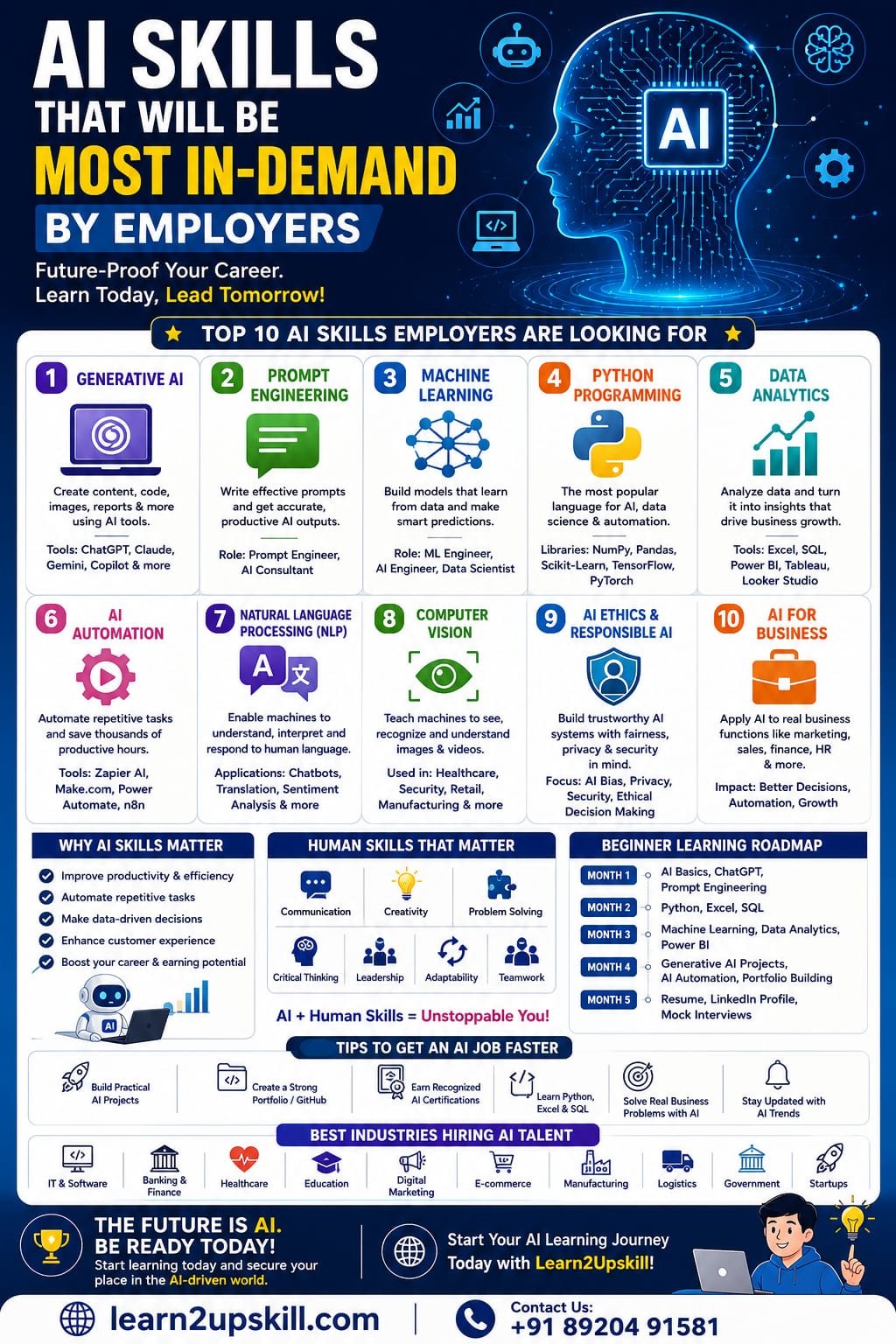
    Why AI Skills Matter

    Companies are integrating AI into their daily operations to:

    – Improve productivity

    – Automate repetitive tasks

    – Make data-driven decisions

    – Enhance customer experience

    – Reduce operational costs

    – Increase business efficiency

    As a result, professionals with AI knowledge are becoming some of the most sought-after candidates across industries.

    —

    Top AI Skills Employers Are Looking For

    1. Generative AI

    Generative AI tools are revolutionizing content creation, coding, research, and business automation.

    Popular tools include:

    – ChatGPT

    – Claude

    – Google Gemini

    – Microsoft Copilot

    – Perplexity AI

    Career Opportunities

    – AI Content Specialist

    – Prompt Engineer

    – AI Consultant

    – Marketing Executive

    – Business Analyst

    —

    1. Prompt Engineering

    Knowing how to communicate effectively with AI tools has become a valuable workplace skill.

    Employers want professionals who can


    – Write effective prompts

    – Generate accurate outputs

    – Automate workflows

    – Improve productivity

    —

    1. Machine Learning

    Machine Learning remains one of the highest-paying AI skills.

    You’ll learn:

    – Supervised Learning

    – Unsupervised Learning

    – Model Training

    – Feature Engineering

    – Prediction Models

    Job Roles include:

    – Machine Learning Engineer

    – AI Engineer

    – Data Scientist

    —

    1. Python Programming

    Python continues to be the most widely used programming language for AI development.

    Key libraries include:

    – NumPy

    – Pandas

    – Scikit-Learn

    – TensorFlow

    – PyTorch

    Python remains one of the most frequently requested technical skills in AI-related job postings.

    —

    1. Data Analytics

    AI is only as powerful as the data behind it.

    Learn:

    – Excel

    – SQL

    – Power BI

    – Tableau

    – Google Looker Studio

    Data professionals are in high demand across nearly every industry.

    —

    1. AI Automation

    Businesses are automating repetitive tasks using AI.

    Popular automation platforms:

    – Zapier AI

    – Make.com

    – Microsoft Power Automate

    – n8n

    Automation skills can save companies thousands of hours every year.

    —

    1. Natural Language Processing (NLP)

    NLP helps machines understand human language.

    Applications include:

    – Chatbots

    – Virtual Assistants

    – Language Translation

    – Sentiment Analysis

    – AI Search

    —

    1. Computer Vision

    Computer Vision enables AI to understand images and videos.

    Industries using Computer Vision include:

    – Healthcare

    – Manufacturing

    – Security

    – Retail

    – Agriculture

    —

    1. AI Ethics & Responsible AI

    Organizations are increasingly focused on building trustworthy AI systems.

    Employers value professionals who understand:

    – AI Bias

    – Privacy

    – Data Security

    – Responsible AI

    – Ethical Decision Making

    —

    1. AI for Business

    Companies need professionals who know how to apply AI—not just build it.

    Business applications include:

    – Sales Forecasting

    – Customer Support

    – HR Automation

    – Marketing

    – Finance

    —

    Human Skills That Matter Even More

    AI cannot replace every human capability.

    The most valuable professionals combine AI knowledge with:

    – Communication

    – Leadership

    – Creativity

    – Problem Solving

    – Critical Thinking

    – Adaptability

    – Teamwork

    Research indicates that AI is increasing the importance of judgment, creativity, leadership, and other human-centric skills in many roles.

    —

    Best Industries Hiring AI Talent

    – Information Technology

    – Banking & Finance

    – Healthcare

    – Education

    – Digital Marketing

    – E-commerce

    – Manufacturing

    – Logistics

    – Government

    – Startups

    —

    Professionals with AI skills can find opportunities in roles such as:

    – AI Engineer

    – Machine Learning Engineer

    – Data Scientist

    – AI Consultant

    – Business Intelligence Analyst

    – AI Product Manager

    – Automation Specialist

    —

    Conclusion

    Artificial Intelligence is no longer a niche technology—it is becoming a core workplace skill. Employers are looking for professionals who can combine AI knowledge with analytical thinking, communication, and business understanding.

    Start learning today, build practical experience, and keep upgrading your skills. The sooner you begin, the better prepared you’ll be for the AI-driven job market of the future.

    Learn AI with Learn2Upskill

    At Learn2Upskill, we help students and professionals develop job-ready skills through practical learning and industry-focused training.

    Website: www.coral-kudu-326218.hostingersite.com

    Contact: +91 89204 91581

    Start your AI learning journey today and prepare for the careers of tomorrow!

  • Online Skill Development Courses to Boost Your Career

    Online Skill Development Courses to Boost Your Career

    Upgrade your future with online skill development courses designed to help you stay ahead in today’s competitive world.

    Learn new skills online with career-focused training programs for students, job seekers, and working professionals.

    Why Choose Our Platform?

    • Expert-led training programs
    • Flexible online learning
    • Real-world projects
    • Certification courses
    • Career support

    Explore Courses

    • Digital Marketing
    • Data Analytics
    • AI & ChatGPT
    • Business Skills
    • Competitive Exams

    Learn Anytime, Anywhere

    Access courses from mobile, tablet, or desktop and learn at your own pace.

    Certification & Career Support

    • Industry-recognized certificates
    • Resume building
    • Interview preparation
    • Placement assistance

    Get Started Today

    Join now and explore the best online learning platform for career growth.

  • Top Remote Jobs and the Skills You Need

    Top Remote Jobs and the Skills You Need

    Top Remote Jobs and the Skills You Need

    Discover the best remote jobs in 2026, the essential skills required, expected salary ranges, and how to prepare for a successful work-from-home career.

    Focus Keyword: Top Remote Jobs and the Skills You Need

    —

    Top Remote Jobs and the Skills You Need

    Remote work has transformed the modern workplace. Companies around the world are hiring talented professionals regardless of their location, giving people the flexibility to work from home, coworking spaces, or while traveling.

    Whether you’re a student, a fresher, or an experienced professional looking for more flexibility, remote jobs offer exciting career opportunities across industries.

    In this guide, we’ll explore the most in-demand remote jobs, the skills required for each role, and practical steps to build a successful remote career.

    —

    Why Are Remote Jobs Growing?

    Advancements in technology, cloud computing, and collaboration tools have made remote work easier than ever. Businesses have realized that many roles can be performed effectively without employees being in a physical office.

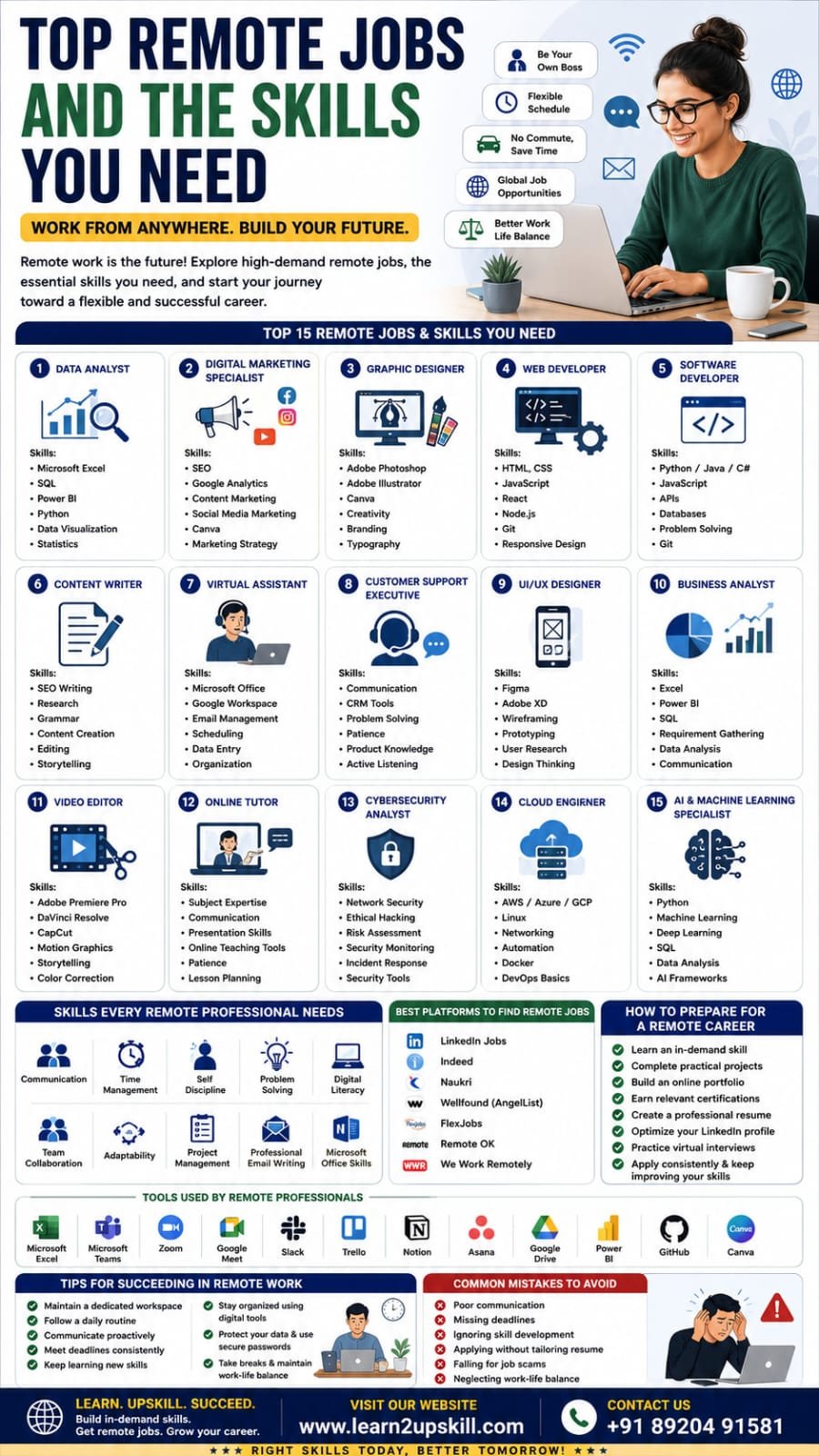
    Benefits of Remote Jobs

    – Flexible work schedules

    – Better work-life balance

    – Reduced commuting time and expenses

    – Access to global job opportunities

    – Increased productivity for many professionals

    – Opportunity to work from anywhere

    —

    Skills Every Remote Professional Needs

    Regardless of your job role, successful remote workers usually possess these skills:

    – Communication

    – Time Management

    – Self-Discipline

    – Problem Solving

    – Digital Literacy

    – Team Collaboration

    – Adaptability

    – Project Management

    – Basic Microsoft Office Skills

    – Professional Email Writing

    —

    1. Data Analyst

    What They Do

    Data Analysts collect, clean, analyze, and visualize business data to help organizations make informed decisions.

    —

    1. Digital Marketing Specialist

    Responsibilities

    – Social Media Marketing

    – SEO

    – Content Marketing

    – Email Marketing

    – Paid Advertising

    – Analytics

    —

    1. Graphic Designer

    Graphic Designers create:

    – Social Media Posts

    – Posters

    – Logos

    – Brochures

    – Advertisements

    – Website Graphics

    —

    1. Web Developer

    Developers build websites and web applications.

    Skills

    – HTML

    – CSS

    – JavaScript

    – React

    – Node.js

    – Git

    – Responsive Design

    —

    1. Software Developer

    Software Developers create desktop, web, and mobile applications.

    Skills

    – Python

    – Java

    – C#

    – JavaScript

    – APIs

    – Databases

    – Problem Solving

    —

    1. Content Writer

    Content Writers create:

    – Blog articles

    – Website content

    – Product descriptions

    – Newsletters

    – Case studies

    —

    1. Virtual Assistant

    Virtual Assistants help businesses with:


    – Email Management

    – Scheduling

    – Customer Support

    – Documentation

    – Data Entry

    —

    1. Customer Support Executive

    Many companies hire remote customer support professionals.

    Skills

    – Communication

    – CRM Software

    – Problem Solving

    – Patience

    – Product Knowledge

    —

    1. UI/UX Designer

    UI/UX Designers improve digital products by creating intuitive and user-friendly experiences.

    —

    1. Business Analyst

    Business Analysts identify business problems and recommend technology-driven solutions.

    Skills

    – Microsoft Excel

    – Power BI

    – SQL

    – Requirement Gathering

    – Data Analysis

    – Communication

    —

    1. Video Editor

    The demand for video content continues to grow.


    Skills

    – Adobe Premiere Pro

    – DaVinci Resolve

    – CapCut

    – Motion Graphics

    – Storytelling

    —

    1. Online Tutor

    Teach students in areas such as:

    – Mathematics

    – English

    – Coding

    – Data Analytics

    – Microsoft Excel

    – Competitive Exam Preparation

    —

    1. Cybersecurity Analyst

    Organizations need professionals to protect systems and data.

    Skills

    – Network Security

    – Ethical Hacking

    – Risk Assessment

    – Security Monitoring

    – Incident Response

    —

    1. Cloud Engineer

    Cloud Engineers manage cloud-based infrastructure and services.

    Skills

    – AWS

    – Microsoft Azure

    – Google Cloud

    – Linux

    – Networking

    – Automation

    —

    1. AI & Machine Learning Specialist

    One of the fastest-growing career paths.

    Skills

    – Python

    – Machine Learning

    – Deep Learning

    – SQL

    – Data Analysis

    – AI Frameworks

    —

    Common Mistakes to Avoid

    – Poor communication

    – Missing deadlines

    – Ignoring skill development

    – Applying without tailoring your resume

    – Falling for job scams

    – Neglecting work-life balance

    Final Thoughts

    Remote work is no longer just a trend—it’s a significant part of today’s global job market. By developing practical, in-demand skills and building a strong portfolio, you can unlock opportunities with companies around the world while enjoying the flexibility that remote work offers.

    Whether you’re interested in data analytics, digital marketing, software development, design, or content creation, consistent learning and hands-on practice are the keys to success.

    At Learn2Upskill, we help students and professionals build career-ready skills through practical training in Microsoft Excel, Data Analytics, Power BI, Python, AI, Digital Marketing, and more.

    Visit: www.coral-kudu-326218.hostingersite.com

    Contact Us: +91 89204 91581

    Learn Today. Work Anywhere. Build a Future Without Limits.

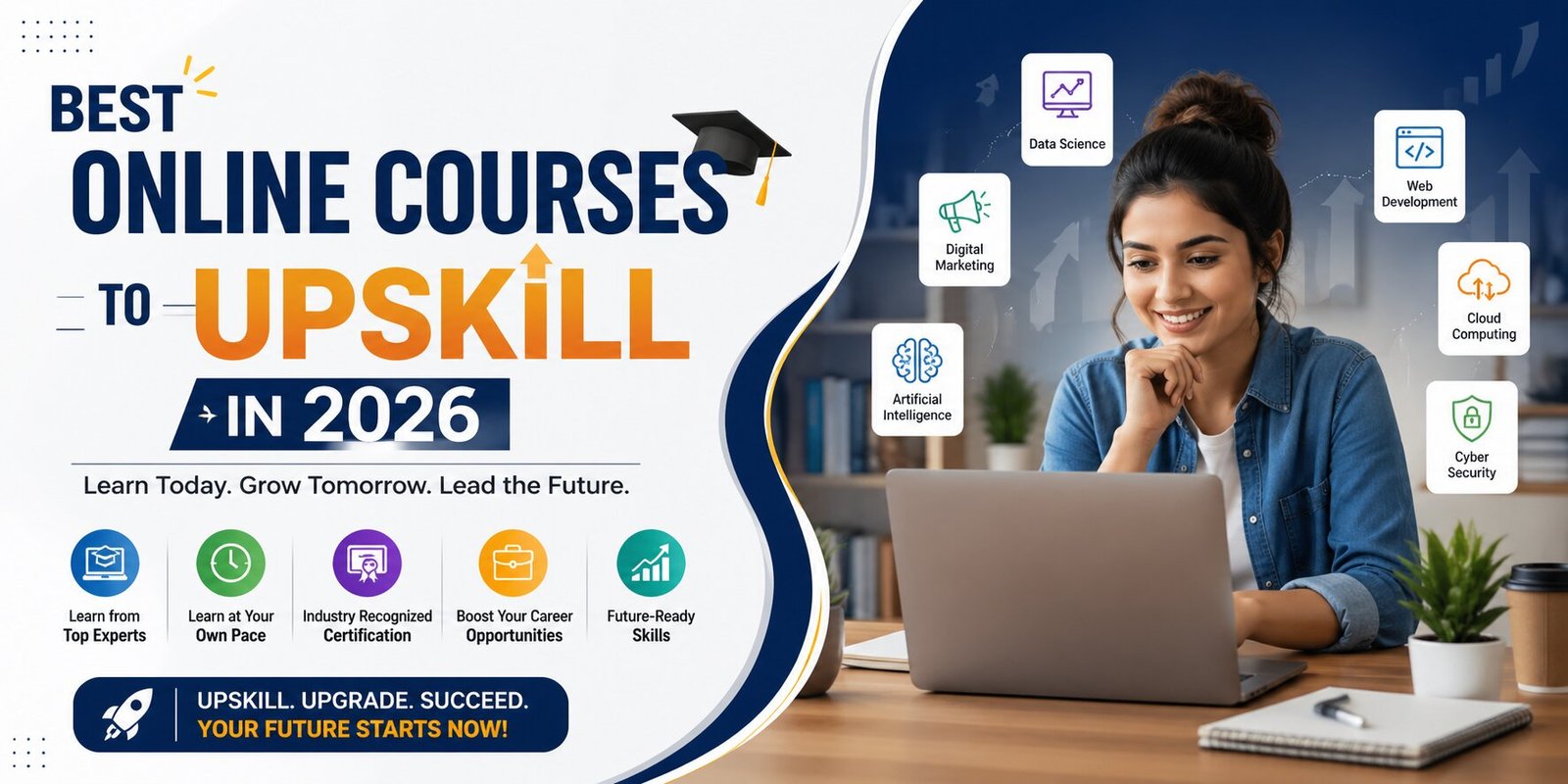
  • Best Online Courses to Upskill in 2026 – Future-Proof Your Career

    Best Online Courses to Upskill in 2026 – Future-Proof Your Career

    In today’s fast-changing digital world, staying updated with the latest skills is essential. If you want career growth, better job opportunities, or a career switch, enrolling in the best online courses to upskill in 2026 can give you a strong competitive advantage.

    With industries evolving rapidly, companies are looking for professionals with practical, job-ready skills. The good news is that you can now learn new skills online from anywhere and build a future-ready career.

    Why Upskilling is Important in 2026

    Technology is transforming every industry—from marketing to finance to healthcare. To stay relevant, professionals must continuously upgrade their skills.

    • Better job opportunities
    • Higher salary potential
    • Career growth and promotions
    • Ability to switch careers
    • Improved confidence and productivity

    Top Online Courses to Upskill in 2026

    1. Digital Marketing Course

    Digital marketing is one of the most in-demand skills as businesses continue to grow online.

    • SEO (Search Engine Optimization)
    • Social Media Marketing
    • Google Ads & Meta Ads
    • Content Marketing

    2. Data Analytics (Excel & Power BI)

    Data-driven decision-making is crucial for businesses today.

    • Advanced Excel
    • Power BI dashboards
    • Data visualization
    • Reporting techniques

    3. AI & Machine Learning Courses

    AI is shaping the future of every industry.

    • Machine learning basics
    • AI tools and automation
    • Predictive analysis

    4. Web Development & Full Stack Development

    Every business needs a strong online presence.

    • HTML, CSS, JavaScript
    • Backend development
    • Database management

    5. Cybersecurity & Ethical Hacking

    With increasing cyber threats, cybersecurity skills are in high demand.

    • Network security
    • Ethical hacking techniques
    • Risk management

    6. Prompt Engineering & ChatGPT Courses

    AI tools like ChatGPT are transforming how we work and automate tasks.

    • Prompt writing techniques
    • AI automation
    • Real-world applications

    How to Choose the Right Course

    • Choose job-oriented courses
    • Focus on practical learning
    • Look for certification and career support
    • Check course curriculum and reviews
    • Prefer self-paced learning options

    Who Should Take These Courses?

    • Students
    • Freshers
    • Working professionals
    • Career switchers
    • Freelancers

    Benefits of Online Learning

    • Learn anytime, anywhere
    • Affordable compared to offline courses
    • Access to expert trainers
    • Hands-on practical learning

    Start Your Upskilling Journey Today

    The future belongs to those who continuously learn and adapt. By enrolling in the best online courses to upskill in 2026, you can build in-demand skills and unlock better career opportunities.

    Explore All Courses

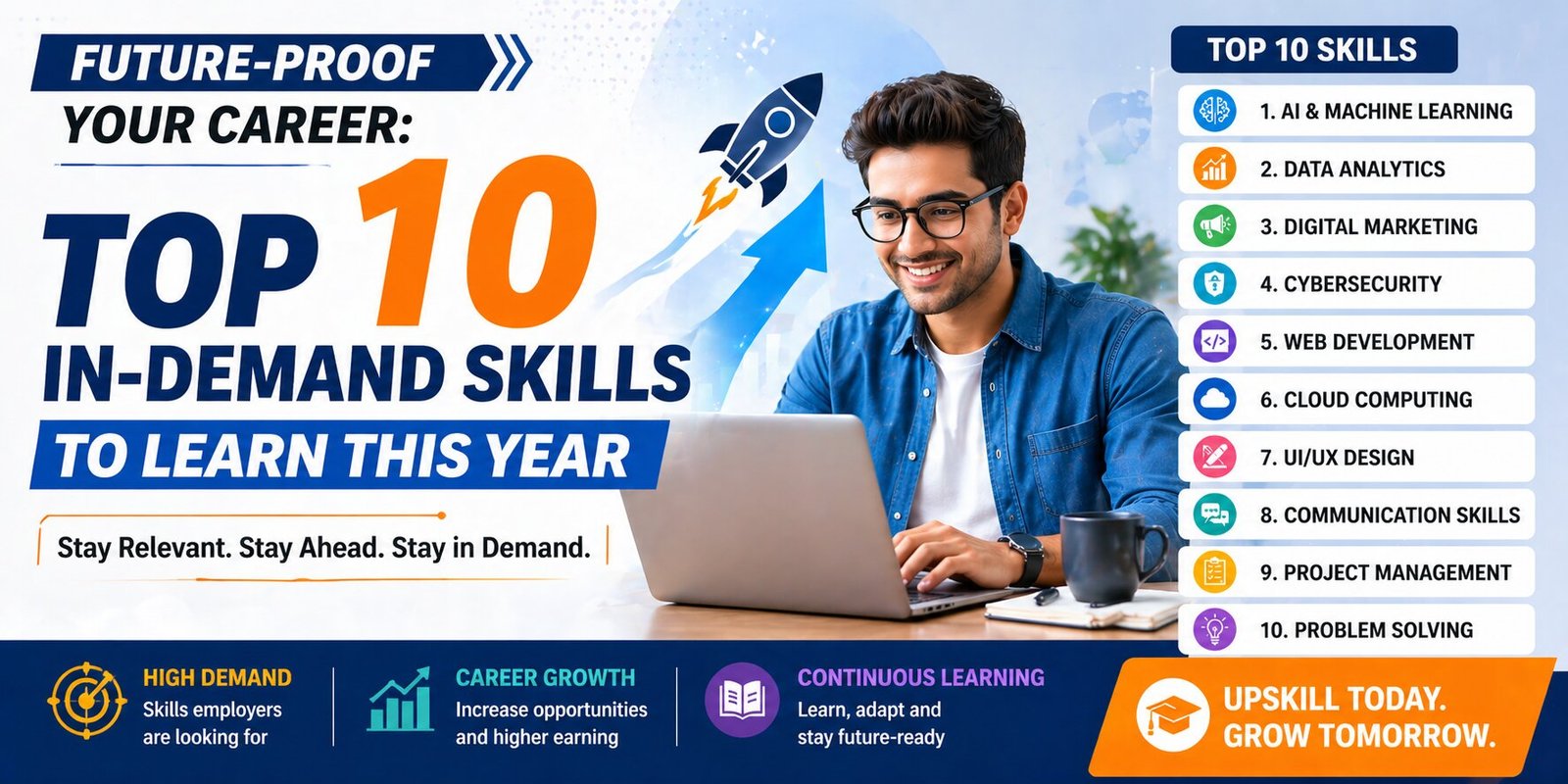
  • Future-Proof Your Career: The Top 10 In-Demand Skills to Learn This Year

    Future-Proof Your Career: The Top 10 In-Demand Skills to Learn This Year

    The job market is not just changing; it’s accelerating. With technologies like AI, cloud computing, and advanced data analytics becoming mainstream, the skills that guaranteed a stable career yesterday are quickly becoming baseline expectations today.

    The key to future-proofing your career isn’t competing against the machine, but learning how to effectively collaborate with it.

    We’ve compiled the top 10 most in-demand skills for the modern professional, blending crucial technical expertise with indispensable human-centric abilities.

    The Technical Powerhouses (Hard Skills)

    These are the digital skills that drive business transformation and innovation.

    1. 🧠 Artificial Intelligence (AI) Literacy & Prompt Engineering

    AI is no longer a niche field; it is a foundational skill. Every professional needs to understand how to integrate AI tools (like Generative AI) into their workflow to boost productivity.

    • Actionable Tip: Learn Prompt Engineering—the skill of crafting effective inputs to get the best results from AI models. This is becoming the new form of advanced search and communication.
    1. 📊 Data Analysis and Visualization

    Businesses run on data, but they need people to turn raw numbers into strategic decisions. This skill is critical across finance, marketing, logistics, and healthcare.

    • Key Tools: Proficiency in tools like Python (Pandas, NumPy), SQL, and BI platforms (Tableau, Power BI) is highly sought after. Data storytelling is key.
    1. 🛡️ Cybersecurity Expertise

    As more operations move to the cloud and remote work expands, the need to protect digital assets is paramount. The demand for cybersecurity professionals continues to outpace the supply.

    • Focus Areas: Understanding Risk Management, Incident Response, and basic Cloud Security principles will make you highly marketable.
    1. ☁️ Cloud Computing Proficiency (AWS, Azure, GCP)

    The vast majority of companies now use cloud infrastructure. Expertise in deploying, managing, and securing systems on major platforms (Amazon Web Services, Microsoft Azure, Google Cloud Platform) is a non-negotiable requirement for many tech roles.

    • Actionable Tip: Even non-tech professionals benefit from basic Cloud Foundational Certifications.
    1. 💻 Software Development and Low-Code/No-Code

    While software engineering remains vital, the ability to rapidly prototype and automate tasks using Low-Code/No-Code platforms (like Zapier, Bubble, or AppGyver) is increasingly valuable for business-side roles.

    • For Coders: Focus on languages like Python, JavaScript, and TypeScript.

    The Human Collaborators (Soft Skills)

    As AI handles execution, uniquely human skills become the ultimate competitive advantage.

    1. 🧐 Analytical and Critical Thinking

    Machines can process data, but humans must interpret the meaning and apply the judgment. This is the ability to break down complex problems, evaluate information critically, and form logical conclusions.

    • The Difference: This skill goes beyond reporting data; it is about challenging assumptions and identifying the “why” behind the numbers.
    1. 💡 Creative Thinking and Innovation

    When AI can automate execution, human creativity—the ability to conceive entirely new ideas, ask novel questions, and create unconventional solutions—becomes irreplaceable. Jeff Bezos calls this the skill of “invention.”

    • Actionable Tip: Cultivate the habit of approaching everyday challenges from three totally different angles.
    1. 🤝 Emotional Intelligence (EQ) and Empathy

    In a hybrid, distributed, and high-stress workplace, the ability to understand, manage, and influence emotions—both your own and others’—is crucial for effective leadership, negotiation, and conflict resolution.

    • The Result: High EQ builds stronger teams, reduces burnout, and improves client relationships.
    1. 🔄 Adaptability, Flexibility, and Continuous Learning

    The only constant is change. The skill of learning agility—the ability to quickly pick up new technologies and pivot your approach—is the new job security.

    • Mantra: “I don’t know this yet,” should replace “I can’t do this.”
    1. 🗣️ Communication and Storytelling

    Whether you are presenting a data analysis, writing a project proposal, or explaining a complex technical concept, the ability to communicate clearly, concisely, and persuasively is vital.

    Focus: Master the art of storytelling with data to influence stakeholders and drive action

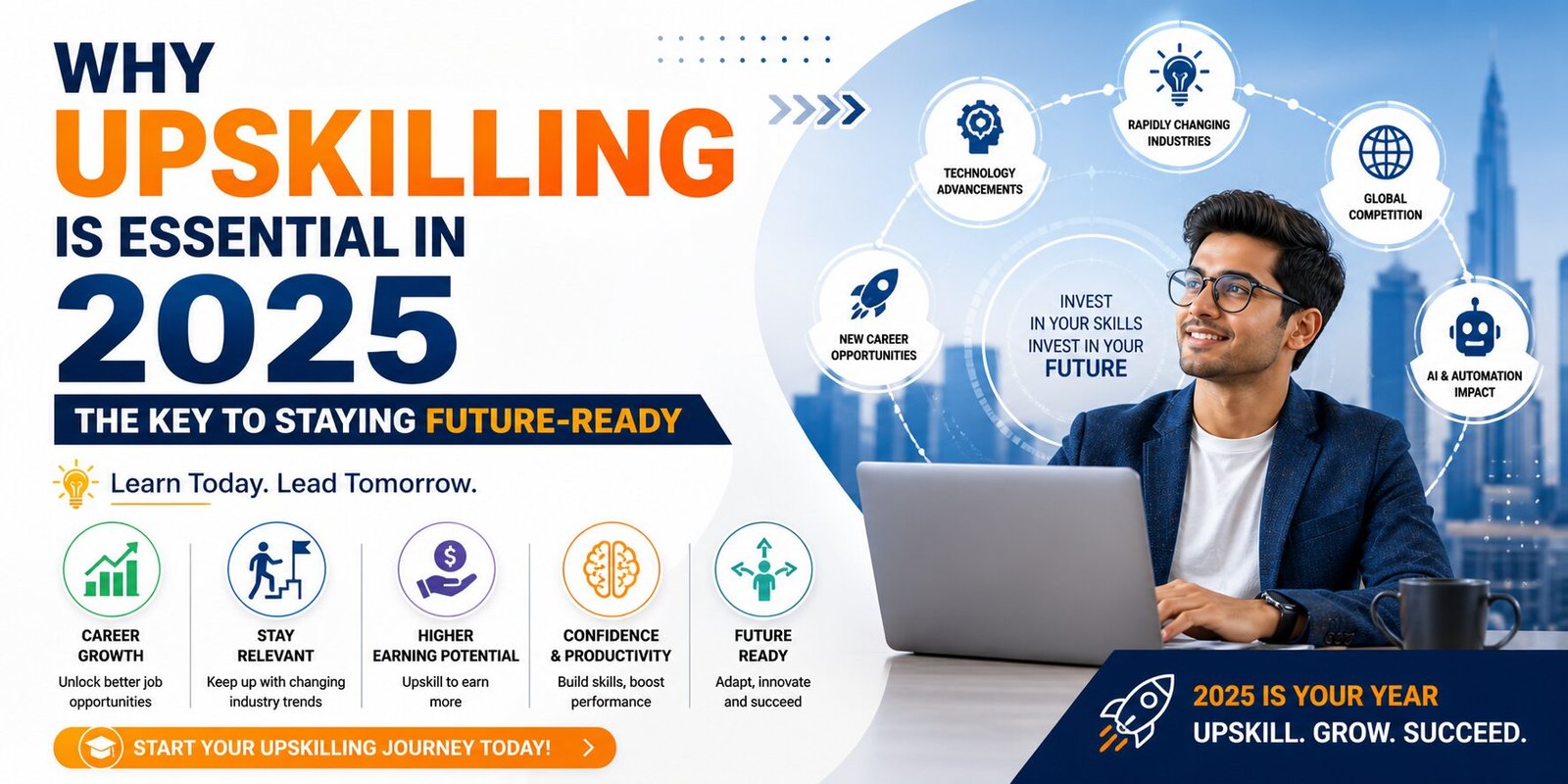
  • Why Upskilling Is Essential in 2025: The Key to Staying Future-Ready

    Why Upskilling Is Essential in 2025: The Key to Staying Future-Ready

    The world is moving faster than ever. From artificial intelligence and automation to remote work and global job competition, the skills that were valuable yesterday are no longer enough today. In 2025, upskilling isn’t just an option — it has become a career survival strategy.

    Whether you’re a student, a working professional, or someone planning a career switch, learning new skills is the smartest investment you can make right now. Here’s why.

    🚀 1. Technology Is Evolving at Lightning Speed

    AI, machine learning, automation, and digital tools are transforming almost every industry.
    Jobs that once relied on manual tasks are increasingly supported by smart technologies.

    What this means for you:
    To stay relevant, you need to understand and work alongside new technologies. Skills like AI literacy, Excel mastery, data analysis, digital marketing, and prompt engineering are becoming must-haves in 2025.

    🌍 2. Companies Now Hire for Skills, Not Degrees

    A major shift has happened in recent years: employers care more about what you can do than what degree you hold.

    Hiring managers now look for:

    • Practical skills
    • Certifications
    • Hands-on project experience
    • Adaptability

    Upskilling allows you to demonstrate capability — even if you don’t have a traditional academic background.

    💼 3. Upskilling Boosts Your Career Growth & Salary

    Learning new skills directly increases your earning potential.
    Professionals who consistently upskill are more likely to:

    • Get promotions
    • Move into leadership roles
    • Secure remote or international job opportunities
    • Negotiate higher salaries

    In 2025, the highest-paid professionals are those who understand data, technology, and problem-solving.

    🔄 4. Job Roles Are Constantly Changing

    In today’s job market, roles evolve every 6–12 months.
    For example:

    • Marketing professionals now need AI content skills
    • HR teams use data analytics
    • Sales teams rely on CRM automation
    • Administrative roles require Excel, Power BI, and automation tools
    • Upskilling helps you stay ahead — instead of being left behind.

    🧠 5. Upskilling Builds Confidence & Career Security

    The more skills you gain, the more valuable you become.
    You feel confident because:

    • You know you can handle modern tools
    • You stay competitive
    • You are prepared for industry changes
    • You can switch roles if needed
    • Learning keeps you secure in an unpredictable job market.

    💡 6. Remote Work Favors Skilled Professionals

    Remote work continues to grow in 2025.
    But here’s the truth: remote jobs are competitive, and only the most skilled candidates get selected.

    Upskilling helps you stand out by building:

    • Strong digital skills
    • Independence & productivity
    • Communication skills
    • Technical abilities needed for remote setups

    📊 7. Short, Affordable Courses Make Upskilling Easier

    The best part?
    Upskilling no longer requires months of classroom training.

    Online courses allow you to learn:

    • At your own pace
    • Anytime, anywhere
    • With practical, hands-on lessons
    • At an affordable cost

    This means anyone — students, homemakers, working professionals, or job seekers — can upgrade their skills quickly.

    🎯 Conclusion: Upskilling Is No Longer Optional — It’s Your Competitive Edge

    2025 is the year of rapid changes.
    Those who keep learning will rise. Those who don’t will fall behind.

    Upskilling helps you:

    • Stay employable
    • Unlock growth opportunities
    • Earn more
    • Build future-proof careers
    • Stand out in a crowded job market

    The world rewards those who grow.
    The question is — are you ready to upskill?

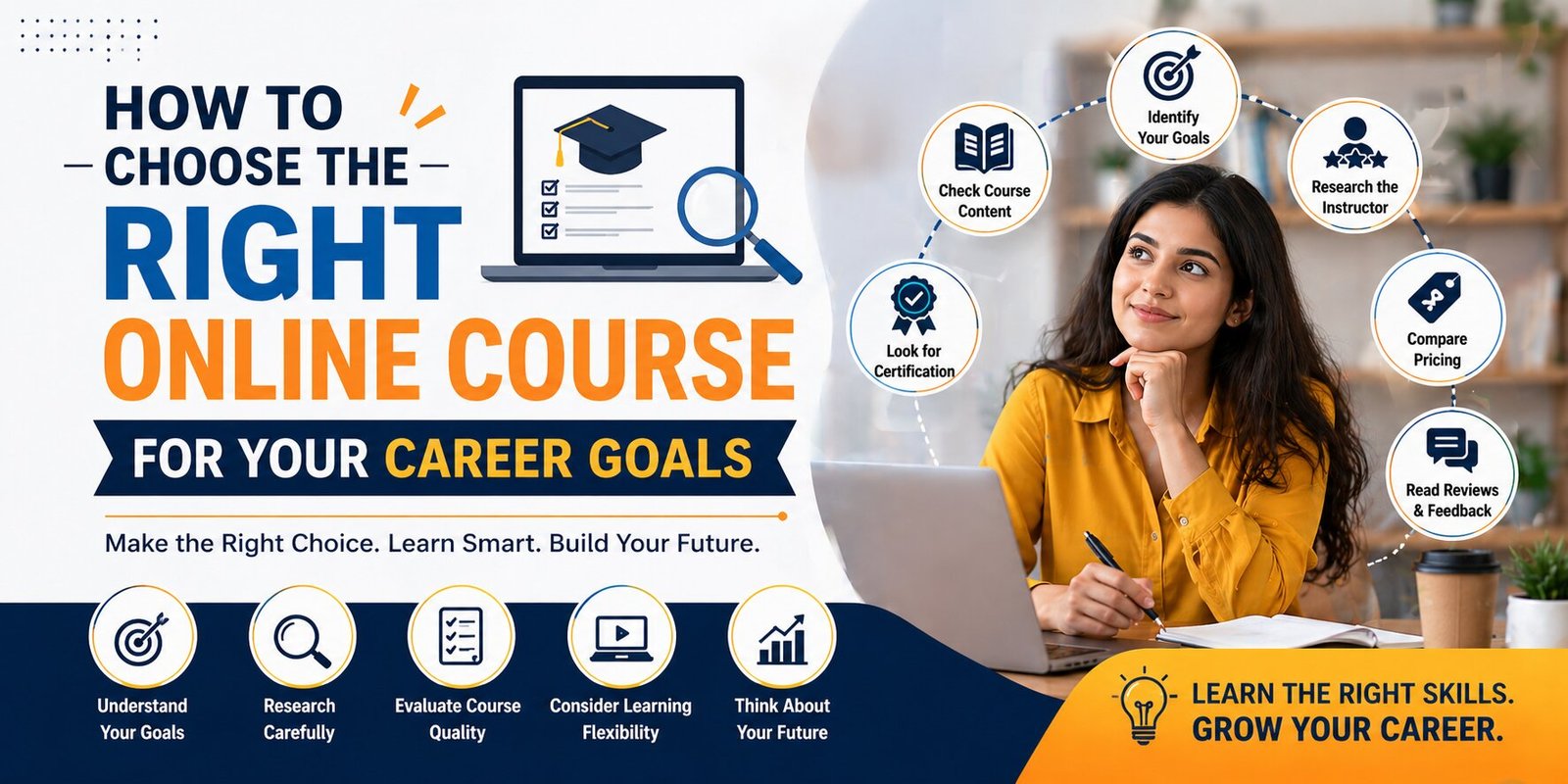
  • How to Choose the Right Online Course for Your Career Goals

    How to Choose the Right Online Course for Your Career Goals

    Online courses have revolutionized learning, offering flexible, affordable, and accessible education options for professionals and students alike. However, with countless courses available, selecting the one that aligns with your career goals can be overwhelming. Here’s a step-by-step guide to help you choose the perfect course for your aspirations.


    1. Define Your Career Goals

    Before diving into the world of online courses, take a moment to reflect on your career objectives.

    • Are you looking to upskill in your current role?
    • Do you want to pivot to a new career path?
    • Are you aiming to acquire foundational knowledge or specialize in a niche area?
      A clear understanding of your goals will narrow down your options and ensure the course you choose adds real value to your career.

    2. Research Course Content and Structure

    Not all courses are created equal. Analyze the curriculum to ensure it covers the topics relevant to your goals.

    • Look for a mix of theoretical knowledge and practical applications.
    • Check if the course offers hands-on projects, case studies, or real-world examples.
    • Consider the level of the course—beginner, intermediate, or advanced—to match your skill set.

    3. Check the Instructor’s Credentials

    The quality of an online course often depends on the expertise of the instructor.

    • Review their qualifications, professional experience, and teaching style.
    • Look for courses led by industry professionals or educators with a proven track record.
    • Explore reviews or testimonials about the instructor’s effectiveness.

    4. Assess Platform Reputation and Certification

    Choose a platform that’s well-regarded for providing high-quality courses.

    • Read reviews of the platform to ensure credibility.
    • Verify if the course provides a recognized certification that adds value to your resume.
    • Check partnerships with industry leaders or educational institutions for added authenticity.

    5. Evaluate Flexibility and Support

    Balancing learning with work or other commitments is crucial.

    • Opt for courses with flexible schedules or self-paced options.
    • Ensure access to resources such as video tutorials, discussion forums, or downloadable materials.
    • Look for responsive customer support or access to mentors for guidance.

    6. Set a Budget and Compare Options

    Online courses come in various price ranges, from free to premium.

    • Determine your budget and explore courses that fit within it.
    • Compare similar courses to find the best value for money.
    • Don’t hesitate to invest in premium courses if they promise a significant ROI on your career.

    Final Thoughts

    Choosing the right online course is an investment in your future. By aligning the course with your career goals, assessing its quality, and ensuring it fits your schedule and budget, you can make a decision that pays dividends in the long run.